It's emerging as a primary platform, says Linux Foundation exec
Linux is set to make a major impact in the mobile computing realm, the executive director of the Linux Foundation stressed at a conference Monday morning.
Speaking at the Open Mobile Exchange portion of the O'Reilly Open Source Conference (OSCON) in Portland, Ore., Jim Zemlin, executive director of the foundation, touted the trends and technologies pushing Linux into a leadership position in mobile systems. He was followed by Jason Grigsby, Web strategist at mobile and Web design firm Cloud Four, who emphasized the coming influence of the mobile Web but countered that developers are not ready for it.
Zemlin said Linux has emerged as a primary platform, even on the desktop, but it has also spread to devices such as gas pumps and medical equipment. It is also being deployed in Wall Street trading, consumer electronics and in space-based equipment.
"It's clear that Linux is going to be a leader in the mobile space," Zemlin said.
Linux, according to Zemlin, offers a unified product platform, flexibility, and a software stack. It also has experienced an increase in the volume of software content, with the lines of Linux handset code doubling every year.
"Really, what's happening in mobile is instead of having a hardware-up approach, you're starting to see a software-down approach," with the software experience driving the mobile marketplace, he said.
By supporting Linux, developers don't have to contend with compatibility issues of supporting different platforms. The industry wants to get away from that, he said.
"It's just a nightmare to support all these different OSes and try to maintain some degree of compatibilty," Zemlin said.
Different middleware packages and application development frameworks are available for Linux. "There's a huge freedom to mix the core Linux kernel," he said.
Business drivers for Linux include reduced deployment costs, room to differentiate, and an ecosystem of development around phone platforms. "It's obviously a royalty-free platform. That's a huge business driver, Zemlin said.
"Linux really allows device manufacturers and new people to come in and create their own brand," he said.
Symbian's move to open source has had a negative impact on Microsoft Corp.'s Windows, leaving it the only royalty-based mobile platform, Zemlin said .
Linux application development is starting to coalesce around initiatives such as Google's Android and LiMo (Linux Mobile Foundation), he said. Other Linux efforts are afoot such as Openmmoko, to create a smart-phone platform, and Ubuntu Mobile, Zemlin said.
"There really isn't any major player from a corporate point of view who doesn't have their foot in some way in the Linux camp," other than Microsoft, Zemlin said.
Other efforts involve development of Linux mobile devices such as notebook systems. "You're going to see 50 of those companies launch next year," Zemlin said.
Grigsby, meanwhile, emphasized that the mobile Web is coming, but Web developers are not ready yet.
There are 3.3 billion mobile devices on the planet, he said. "That's one for every two people," and more than the number of PCs, cars, televisions and credit cards, he said.
He lauded the capabilities of Apple Inc.'s iPhone and what it has done for mobile computing. "The iPhone is really the Mosaic of the mobile Web," opening people's eyes to opportunities on the mobile side the way Mosaic did with browsers, Grigsby said.
But the mobile Web is being held back by UI issues and access to the device characteristics on the phone. Standards and performance also are issues.
Grigsby predicted more fracturing, proprietary extensions, and a return to the browsers wars on the device side. There are many different browsers, he said. A lot of mobile browsers are designed around WAP (Wireless Application Protocol) rather than featuring full desktop rendering technology such as JavaScript, Grigsby said.
Web developers, he added, have become bandwidth gluttons, spoiled by high-speed broadband connections they won't have on mobile devices.
In other developments at OSCON:
Microsoft later this week plans to discuss plans for the upcoming IronRuby 1.0, which is a version of the Ruby programming language compatible with the .Net software development platform.
Canonical officials said they would introduce version 2.0 of the Launchpad hosting platform for software development projects. The 2.0 version includes a beta Internet services API enabling external applications to authenticate, query and modify data stored in the Launchpad database programmatically. The Bazaar distributed version control system featured in Launchpad has been enhanced to improve handling of larger code bases.
The makers of Icecore, an open source collaboration platform, are changing the name of the technology to Kablink and adding functionality for workflow. The name change was inspired by the addition of workflow and also is intended to avoid confusion with first-generation technologies, the company said in a statement.
Tuesday, July 22, 2008


Critical Week for Canonical and Ubuntu Linux
Canonical CEO and Ubuntu Linux backer Mark Shuttleworth will step into the spotlight July 22, when he keynotes OSCON (Open Source Convention) in Portland, Oregon. It will be a critical moment for Shuttleworth and the Ubuntu movement. Here’s why.
Canonical was originally scheduled to host Ubuntu Live — a mini convention — as part of the broader OSCON this week. Instead, Canonical canceled the mini-event and promised to introduce smaller regional and online events over the next few months.
When Canonical canceled Ubuntu Live, however, The VAR Guy wondered if Canonical was conceding that it had bitten off more than it could chew this year. Just look at all the projects on Canonical’s plate:
1. Ubuntu Desktop Edition: Any new preload deals coming, Mark?
Ubuntu got a big mainstream win in mid-2007 when Dell agreed to pre-install Ubuntu on selected Desktops. The VAR Guy and other Ubuntu followers expected (perhaps foolishly) that Dell rivals like Hewlett-Packard would quickly jump on the Ubuntu desktop bandwago. HP has won some Ubuntu-related customer deals, but has said little about its Ubuntu plans.
When Ubuntu’s latest release arrived in April 2008, we expected the upgrade (version 8.04) to generate more pre-load news from big PC makers. But even Dell took extra time before starting 8.04 preloads.
2. Ubuntu Server Edition: Ubuntu on the server is going to be a very long, slow-moving initiative that will require more software developers, hardware makers and integrators to climb on the bandwagon.
The VAR Guy is starting to hear from folks who are successfully deploying or running Ubuntu Server Edition. But Ubuntu on the server remains in its infancy.
The VAR Guy on April 24, 2008, stated that The Ubuntu Server Revolution Starts Today. But companies like Dell took a wait-and-see approach to Ubuntu on the server, and Sun is the only major server maker to truly endorse Ubuntu.
3. Ubuntu Netbooks: This is one of Canonical’s more promising strategies. Netbooks — or sub-notebooks with Ubuntu pre-installed — have drawn interest from customers and hardware makers alike.
But Microsoft will surely pressure sub-notebook makers to stick with Windows Vista by steeply discounting Windows, especially in emerging markets.
4. Ubuntu Mobile Internet Device Release: Canonical has to do a better job communicating how Ubuntu for Netbooks and the Ubuntu Mobile Internet Device (MID) release are related — if at all.
It sounds like Ubuntu for Netbooks is purely for sub-notebooks, but Ubuntu MID is for touchscreen devices like smart phones or iPhone-sized devices that have WiFi but no cell service. Also, how will Ubuntu MID compete with Google Android — or is there little overlap between the platforms?
So many questions for such a small company like Canonical. The VAR Guy wonders if Shuttleworth should simplify Canonical and simply focus like a laser on desktop Linux.
Or does Canonical really have the developer backing, financial resources and patience to compete on desktops, mobile devices, smart phones and servers?
Hopefully, Shuttleworth will provide some answers July 22.
Oh, and by the way, this is just the start of Canonical’s summer blitz for Ubuntu. Expect to hear more about Ubuntu and server software partners at LinuxWorld in August.
Canonical was originally scheduled to host Ubuntu Live — a mini convention — as part of the broader OSCON this week. Instead, Canonical canceled the mini-event and promised to introduce smaller regional and online events over the next few months.
When Canonical canceled Ubuntu Live, however, The VAR Guy wondered if Canonical was conceding that it had bitten off more than it could chew this year. Just look at all the projects on Canonical’s plate:
1. Ubuntu Desktop Edition: Any new preload deals coming, Mark?
Ubuntu got a big mainstream win in mid-2007 when Dell agreed to pre-install Ubuntu on selected Desktops. The VAR Guy and other Ubuntu followers expected (perhaps foolishly) that Dell rivals like Hewlett-Packard would quickly jump on the Ubuntu desktop bandwago. HP has won some Ubuntu-related customer deals, but has said little about its Ubuntu plans.
When Ubuntu’s latest release arrived in April 2008, we expected the upgrade (version 8.04) to generate more pre-load news from big PC makers. But even Dell took extra time before starting 8.04 preloads.
2. Ubuntu Server Edition: Ubuntu on the server is going to be a very long, slow-moving initiative that will require more software developers, hardware makers and integrators to climb on the bandwagon.
The VAR Guy is starting to hear from folks who are successfully deploying or running Ubuntu Server Edition. But Ubuntu on the server remains in its infancy.
The VAR Guy on April 24, 2008, stated that The Ubuntu Server Revolution Starts Today. But companies like Dell took a wait-and-see approach to Ubuntu on the server, and Sun is the only major server maker to truly endorse Ubuntu.
3. Ubuntu Netbooks: This is one of Canonical’s more promising strategies. Netbooks — or sub-notebooks with Ubuntu pre-installed — have drawn interest from customers and hardware makers alike.
But Microsoft will surely pressure sub-notebook makers to stick with Windows Vista by steeply discounting Windows, especially in emerging markets.
4. Ubuntu Mobile Internet Device Release: Canonical has to do a better job communicating how Ubuntu for Netbooks and the Ubuntu Mobile Internet Device (MID) release are related — if at all.
It sounds like Ubuntu for Netbooks is purely for sub-notebooks, but Ubuntu MID is for touchscreen devices like smart phones or iPhone-sized devices that have WiFi but no cell service. Also, how will Ubuntu MID compete with Google Android — or is there little overlap between the platforms?
So many questions for such a small company like Canonical. The VAR Guy wonders if Shuttleworth should simplify Canonical and simply focus like a laser on desktop Linux.
Or does Canonical really have the developer backing, financial resources and patience to compete on desktops, mobile devices, smart phones and servers?
Hopefully, Shuttleworth will provide some answers July 22.
Oh, and by the way, this is just the start of Canonical’s summer blitz for Ubuntu. Expect to hear more about Ubuntu and server software partners at LinuxWorld in August.
Why replace that gadget? An upgrade may be better
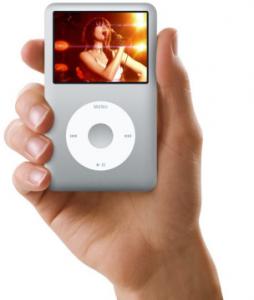
Obsoleting obsolescence: One of the holy grails for parsimonious gadget lovers is a device that can be perennially upgraded - instead of buying a new one, just swap out the software. Joshua Martin, an analyst at Yankee Group in Boston, thinks the consumer electronics industry may finally be waking up to the importance of this, citing Microsoft's plan to overhaul the software interface of its Xbox 360 game console.
The industry is recognizing the need for an upgrade path to keep older devices relevant. There was a time that you needed a new iPod every year. Now the devices are small enough, store enough, offer ample features, and have their capabilities upgraded often enough that keeping a device longer is not unreasonable. The emergence of upgradeable software presents a number of possibilities that consumer electronics manufacturers must consider: selling less hardware, becoming part of a new revenue stream, and requiring CE companies to become software experts.
Ultimately, the lesson to be garnered from the change is that the experience matters most and the device is becoming secondary. blogs.yankeegroup.com
YouTube slippage: Venture capitalist David Beisel pulled apart some recent data hinting that YouTube's dominant market share of online video-viewing may be waning.
I believe we're entering a second phase of the online video space in which the discovery mechanisms for (semi-)professional content, coupled with the increase of professional content available online in a distributed fashion, will facilitate a willingness of users to venture beyond YouTube to consume video across the net. But it won't happen overnight. Especially when I hear that the dirty little secret from many independent video producers who maintain their own destination sites is that an overwhelming number of their views come via YouTube and not on their own distribution. While Google's universal search in theory should facilitate this transition, given that in this case Google owns the both content (YouTube) and the discovery mechanisms (Google search), their incentive to push the latter is in conflict with their other own interest. Herein lies the problem - how do you find good video without going to YouTube?
This open question has inhibited the shift in video consumption past its original portal through to the distributed net - where the rest of web content consumption occurs. Perhaps the results of the past two ComScore surveys have signaled a change in consumers habits in which they're finding video content wherever they just happen to be surfing anyway. The best (or at least a better) discovery mechanism will come in time, perhaps via a startup which eclipses Google while it's conflicted . . . but regardless, eventually measuring "video sites traffic" will be redundant given that video will proliferate to all corners of the web on a predominant number of pages.
There's a good chance we'll look back at this summer then and point to it as when it all really began to happen.
genuinevc.com
Embracing dissimilarity: Are Americans sorting themselves into homogeneous bins? Michael Feinstein, managing director of the Waltham investment firm Sempre Management, posted some reflections on an NPR interview that featured the author of a new book called "The Big Sort: Why the Clustering of Like-Minded America is Tearing Us Apart."
When I think about entrepreneurship, I always associate it with new ideas, high energy, and commitment. This is exactly what you get with new immigrants who come to the U.S. to make their lives better. My grandparents were immigrants, and my paternal grandfather was an entrepreneur. He built up a pretty big wholesale and retail grocery business after coming to the country with very little. While there is nothing stopping native-born Americans from being just as entrepreneurial, our privileged upbringing probably removes some of the inner hunger that an immigrant who has to overcome large obstacles probably has.
But, even more important than making sure we continue to have a steady stream of immigrants coming into the U.S. with new ideas and new energy, we all need to continue to expose ourselves to new people and new ideas to avoid complacency. We tend to settle into our comfort zones where life is predictable and less challenging. That's a recipe for stagnation. Instead, we need to force ourselves to meet new people, from different backgrounds, and embrace new ideas.
thefeinline.com
Face off: Windows vs Linux real world RAM and disk tests
Forget fear, uncertainty and doubt. How do Windows Vista and Linux really compare against each other? It’s one thing to talk about the familiar applications available to Windows users contrasted with the rich suite of free open source apps for Linux, but something totally different to actually compare the loads of the two operating systems as they perform functionally identical tasks.
Related stories
* Critical security fixes arrive for Firefox 2 and 3
* Linux based virtualisation – the way to save money and go green
* Write your own iPhone apps for fun and profit
* Developing for Linux netbooks
* Browser minefield: 637 million potential disasters waiting to blow up
StatCounter - Free Web Tracker and Counter
For this test I have two laptops. Unfortunately they’re not strictly equal, in fact the Windows Vista system has an edge. It is an ASUS VX2 Lamborghini with 4GB RAM, an Intel Core 2 T7400 CPU running at 2.16GHz and a windows experience index of 4.7. The version of Windows is Windows Vista Ultimate with service pack 1 – and all other updates applied as at the time of writing. The hard drive is a Seagate Momentus 5400 RPM disk and the video card is an nVidia GeForce Go 7700.
I’m also running Red Hat Fedora 9 on a Dell Inspiron 6400 laptop. Both are 15” models, and the Dell also has 4GB RAM. It is less powerful with an Intel Core 2 T5600 CPU running at 1.83GHz (and a cache of 2MB, half that of the T7400.) The Dell contains a Toshiba MK1234GSX hard drive which also runs at 5,400 RPM but contains only onboard video, specifically an Intel 945GM chipset with 8MB of “stolen” memory. Fedora has been updated to include all the patches available as at the time of writing.
Let’s first compare the two systems at rest. This is the load the computers are under straight after a reboot and login. Vista is running the Aero theme and Fedora Linux is running Compiz with desktop effects enabled. The Windows Sidebar is enabled; I considered disabling it but this test ought to reasonably reflect actual usage, not any ideal settings tuned for best results. Consequently, I also haven’t disabled the WiFi or Bluetooth drivers on either machine, along with the various programs that run on startup. This includes Symantec Antivirus on the Windows machine as well as OneNote (Windows) and Tomboy (Linux) used for making quick notes.
Windows sits at 1.12GB RAM in use and 98 running processes. The CPU usage fluctuates between 4% and 24%; most of this is taskmgr.exe – the task manager – and a small contribution comes from the Sidebar and dwm.exe, the desktop window manager. By contrast, Linux is using 1.06GB of RAM although with 141 running processes, and a CPU load sitting dead still at 1%. If I click the Resources tab of the System Monitor the CPU load ramps up to over 20%. This is most likely due to the lack of a dedicated video card and the processor being required to draw the graphs which appear on this page. This problem doesn’t occur when using top within a console window.
One thing which is especially interesting is the different approaches the two operating systems take towards swapping main memory out to disk. While Windows shows many hundreds of page faults occurring Linux has a clear zero kilobytes of swap space being used. Let me tell you what this means, and then let’s fire up a web browser and word processor.
Related stories
* Critical security fixes arrive for Firefox 2 and 3
* Linux based virtualisation – the way to save money and go green
* Write your own iPhone apps for fun and profit
* Developing for Linux netbooks
* Browser minefield: 637 million potential disasters waiting to blow up
StatCounter - Free Web Tracker and Counter
For this test I have two laptops. Unfortunately they’re not strictly equal, in fact the Windows Vista system has an edge. It is an ASUS VX2 Lamborghini with 4GB RAM, an Intel Core 2 T7400 CPU running at 2.16GHz and a windows experience index of 4.7. The version of Windows is Windows Vista Ultimate with service pack 1 – and all other updates applied as at the time of writing. The hard drive is a Seagate Momentus 5400 RPM disk and the video card is an nVidia GeForce Go 7700.
I’m also running Red Hat Fedora 9 on a Dell Inspiron 6400 laptop. Both are 15” models, and the Dell also has 4GB RAM. It is less powerful with an Intel Core 2 T5600 CPU running at 1.83GHz (and a cache of 2MB, half that of the T7400.) The Dell contains a Toshiba MK1234GSX hard drive which also runs at 5,400 RPM but contains only onboard video, specifically an Intel 945GM chipset with 8MB of “stolen” memory. Fedora has been updated to include all the patches available as at the time of writing.
Let’s first compare the two systems at rest. This is the load the computers are under straight after a reboot and login. Vista is running the Aero theme and Fedora Linux is running Compiz with desktop effects enabled. The Windows Sidebar is enabled; I considered disabling it but this test ought to reasonably reflect actual usage, not any ideal settings tuned for best results. Consequently, I also haven’t disabled the WiFi or Bluetooth drivers on either machine, along with the various programs that run on startup. This includes Symantec Antivirus on the Windows machine as well as OneNote (Windows) and Tomboy (Linux) used for making quick notes.
Windows sits at 1.12GB RAM in use and 98 running processes. The CPU usage fluctuates between 4% and 24%; most of this is taskmgr.exe – the task manager – and a small contribution comes from the Sidebar and dwm.exe, the desktop window manager. By contrast, Linux is using 1.06GB of RAM although with 141 running processes, and a CPU load sitting dead still at 1%. If I click the Resources tab of the System Monitor the CPU load ramps up to over 20%. This is most likely due to the lack of a dedicated video card and the processor being required to draw the graphs which appear on this page. This problem doesn’t occur when using top within a console window.
One thing which is especially interesting is the different approaches the two operating systems take towards swapping main memory out to disk. While Windows shows many hundreds of page faults occurring Linux has a clear zero kilobytes of swap space being used. Let me tell you what this means, and then let’s fire up a web browser and word processor.
Study: IT jobs will drop in 2009
Sharp reductions likely in contract staff, professional services and hardware, and almost no investment in cloud computing
IT staff jobs are at increasing risk -- both for contractors and in-house workers -- according to a survey of top CIOs by Goldman Sachs & Co. released last week. Global services companies will also feel the pinch because of the slowing economy.
A second survey showed that basic PC and network hardware, as well as professional services providers, would bear the largest proportion of spending cuts. It also showed that CIOs planned to emphasize economizing measures over investments in new technologies, with cloud computing emerging as the last item on their priority lists, despite the hype around it.
IT contractors to bear the brunt of cuts
"Demand for discretionary IT projects dropped to its lowest point" in the 41-study history of the Goldman Sachs staffing survey, which asked 100 managers with strategic decision-making authority (mainly CIOs at multinational Fortune 1,000 companies) about their IT staffing plans for 2009.
The Sachs report states that "in a cost-constrained IT budget scenario, CIOs will most likely look to cut their resources first from lower-value augmented [contract] IT staff." The company also describes its survey as "an early warning flag" for service providers' 2009 bookings of new projects.
These intended cutbacks are a change from last fall. When the managers were asked in October which area of IT service delivery resources they would cut for application-related development or maintenance work, the answer was 0% for in-house employees. However, with a declining economy, 8% of respondents in a February survey said in-house IT programming staffers would be cut. In April, 15% of respondents said in-house staffers would be cut. That dropped to 11% in the June survey (the most recent).
But contract employees fare much worse. In the survey, 48% of the respondents said that those staffers would be cut. And 30% of the responders said on-site third-party service provider staffers would also be cut for application-related development or maintenance work. Twelve percent of the managers said they would cut employees from offshore third-party service providers.
Consultants, hardware targets of spending cuts
The second survey by Goldman Sachs looked at 2009 spending plans based on type of IT projects. This survey also showed cuts are in the offing.
"ROI is the name of the game. CIOs have emphasized to us that they are buying on a need vs. want basis, are often downsizing deals to fit with current budget constraints, and are searching for solutions with a high and fast ROI," the survey authors wrote.
The spending survey indicated CIOs see the "greatest potential for cost reduction in IT in the area of networking equipment." A full 47% of the respondents said the most likely area where spending would be slowed would be on purchases of personal computer systems, servers and storage.
Spending cuts won't be limited to equipment: 42% of the CIOs indicated that "they are reluctant to spend money on third-party professional services." This is in keeping with the decline in interest for discretionary IT projects and could indicate more of a reliance on in-house IT employees.
Cloud computing may get buzz, but it won't get spend
The CIOs indicated that server virtualization and server consolidation are their No. 1 and No. 2 priorities. Following these two are cost-cutting, application integration, and data center consolidation. At the bottom of the list of IT priorities are grid computing, open-source software, content management and cloud computing (called on-demand/utility computing in the survey) -- less than 2% of the respondents said cloud computing was a priority.
Charles King, an analyst at Pund-IT Inc., said that such hot-button technologies as cloud computing deployments may slow down. "The message here is CIOs are looking primarily to tested, well-understood technologies that can result in savings or increased business efficiencies whose support can be argued from a financial point of view," he said.
One reason for the low priorities of grid computing, open-source software and cloud computing may be that CIOs and business executives don't understand their value. "They require a technical understanding to get to their importance. I don't think C-level executives and managers have that understanding," King said.
IT staff jobs are at increasing risk -- both for contractors and in-house workers -- according to a survey of top CIOs by Goldman Sachs & Co. released last week. Global services companies will also feel the pinch because of the slowing economy.
A second survey showed that basic PC and network hardware, as well as professional services providers, would bear the largest proportion of spending cuts. It also showed that CIOs planned to emphasize economizing measures over investments in new technologies, with cloud computing emerging as the last item on their priority lists, despite the hype around it.
IT contractors to bear the brunt of cuts
"Demand for discretionary IT projects dropped to its lowest point" in the 41-study history of the Goldman Sachs staffing survey, which asked 100 managers with strategic decision-making authority (mainly CIOs at multinational Fortune 1,000 companies) about their IT staffing plans for 2009.
The Sachs report states that "in a cost-constrained IT budget scenario, CIOs will most likely look to cut their resources first from lower-value augmented [contract] IT staff." The company also describes its survey as "an early warning flag" for service providers' 2009 bookings of new projects.
These intended cutbacks are a change from last fall. When the managers were asked in October which area of IT service delivery resources they would cut for application-related development or maintenance work, the answer was 0% for in-house employees. However, with a declining economy, 8% of respondents in a February survey said in-house IT programming staffers would be cut. In April, 15% of respondents said in-house staffers would be cut. That dropped to 11% in the June survey (the most recent).
But contract employees fare much worse. In the survey, 48% of the respondents said that those staffers would be cut. And 30% of the responders said on-site third-party service provider staffers would also be cut for application-related development or maintenance work. Twelve percent of the managers said they would cut employees from offshore third-party service providers.
Consultants, hardware targets of spending cuts
The second survey by Goldman Sachs looked at 2009 spending plans based on type of IT projects. This survey also showed cuts are in the offing.
"ROI is the name of the game. CIOs have emphasized to us that they are buying on a need vs. want basis, are often downsizing deals to fit with current budget constraints, and are searching for solutions with a high and fast ROI," the survey authors wrote.
The spending survey indicated CIOs see the "greatest potential for cost reduction in IT in the area of networking equipment." A full 47% of the respondents said the most likely area where spending would be slowed would be on purchases of personal computer systems, servers and storage.
Spending cuts won't be limited to equipment: 42% of the CIOs indicated that "they are reluctant to spend money on third-party professional services." This is in keeping with the decline in interest for discretionary IT projects and could indicate more of a reliance on in-house IT employees.
Cloud computing may get buzz, but it won't get spend
The CIOs indicated that server virtualization and server consolidation are their No. 1 and No. 2 priorities. Following these two are cost-cutting, application integration, and data center consolidation. At the bottom of the list of IT priorities are grid computing, open-source software, content management and cloud computing (called on-demand/utility computing in the survey) -- less than 2% of the respondents said cloud computing was a priority.
Charles King, an analyst at Pund-IT Inc., said that such hot-button technologies as cloud computing deployments may slow down. "The message here is CIOs are looking primarily to tested, well-understood technologies that can result in savings or increased business efficiencies whose support can be argued from a financial point of view," he said.
One reason for the low priorities of grid computing, open-source software and cloud computing may be that CIOs and business executives don't understand their value. "They require a technical understanding to get to their importance. I don't think C-level executives and managers have that understanding," King said.
Intel snubs Microsoft; offers Linux certification
Intel's enthusiasm for open source is gathering speed: now it is endorsing professional Linux certifications, snubbing the old Microsoft certification program.
It’s a sure thing that you can sit for a range of Microsoft certifications at almost any event where two or more ‘Softies are gathered together in Bill’s name. Now Intel is leveraging its own developer muscle by organising Linux certification exams for attendees of the Intel Developer Forum held late August in San Francisco.
Attendees at the annual techfest can land a substantial discount sitting for any of three open-source exams held by the Linux Professional Institute, the world’s premier Linux certification organisation. However, there’s been no word on any similar arrangement for Microsoft certification, despite Redmond once again paying top dollar to be listed among IDF’s Gold Sponsors.
Several tracks of the San Francisco IDF are predictably dedicated to mini-notes, which Intel calls ‘netbooks’, and their desktop equivalents, clumsily tagged as ‘net-tops’, along with mobile Internet devices and the Atom processor family which runs all three types of devices.
Intel has been steadily ramping up its support of Linux for several years. It’s partly a recognition of the open source wave sweeping through governments and commercial organisations alike. More crucial, however, is the nascent market that Intel calls “the next billion computers”, which comprises the classrooms and homes, village centres and even business of third-world countries.
Intel makes its living by selling processors, and with the established worldwide market for desktops and laptops having almost reached saturation, tapping into new markets is a matter of survival. And the operating system that will power those next billion computers is increasingly seen as Linux: an OS that’s free, open, extensible and has lesser hardware requirements than Windows.
The most noticeable nod towards Linux, which was simultaneously a backhand slap at Microsoft, took place at the Beijing IDF in April 2007, when Intel embraced Linux as the OS of choice for its new class of ‘mobile Internet devices’ as well as an equal partner in a category of larger-screen UMPCs which later morphed into mini-notes. At last year’s San Francisco IDF, a prestigious walk-on spot during the keynote was bestowed upon Ubuntu creator Mark Shuttleworth.
Intel also sponsors the Moblin project for developing a standardised open source platform for MID products, which in turn has fed into two bespoke builds of Ubuntu: Ubuntu Mobile Internet Device Edition for MIDs and Ubuntu Netbook Remix for mini-notes.
And Intel has worked on fine-tuning the Linux kernel for reduced power consumption right across the board from servers to handheld MIDs. Its ‘LessWatts.org’ initiative has already demonstrated power-optimisations, which Intel developers have been working on and feeding back into the open source community, can boost the battery life of a Linux laptop by almost a third and add a full hour to its uptime when away from an AC outlet.
It’s a sure thing that you can sit for a range of Microsoft certifications at almost any event where two or more ‘Softies are gathered together in Bill’s name. Now Intel is leveraging its own developer muscle by organising Linux certification exams for attendees of the Intel Developer Forum held late August in San Francisco.
Attendees at the annual techfest can land a substantial discount sitting for any of three open-source exams held by the Linux Professional Institute, the world’s premier Linux certification organisation. However, there’s been no word on any similar arrangement for Microsoft certification, despite Redmond once again paying top dollar to be listed among IDF’s Gold Sponsors.
Several tracks of the San Francisco IDF are predictably dedicated to mini-notes, which Intel calls ‘netbooks’, and their desktop equivalents, clumsily tagged as ‘net-tops’, along with mobile Internet devices and the Atom processor family which runs all three types of devices.
Intel has been steadily ramping up its support of Linux for several years. It’s partly a recognition of the open source wave sweeping through governments and commercial organisations alike. More crucial, however, is the nascent market that Intel calls “the next billion computers”, which comprises the classrooms and homes, village centres and even business of third-world countries.
Intel makes its living by selling processors, and with the established worldwide market for desktops and laptops having almost reached saturation, tapping into new markets is a matter of survival. And the operating system that will power those next billion computers is increasingly seen as Linux: an OS that’s free, open, extensible and has lesser hardware requirements than Windows.
The most noticeable nod towards Linux, which was simultaneously a backhand slap at Microsoft, took place at the Beijing IDF in April 2007, when Intel embraced Linux as the OS of choice for its new class of ‘mobile Internet devices’ as well as an equal partner in a category of larger-screen UMPCs which later morphed into mini-notes. At last year’s San Francisco IDF, a prestigious walk-on spot during the keynote was bestowed upon Ubuntu creator Mark Shuttleworth.
Intel also sponsors the Moblin project for developing a standardised open source platform for MID products, which in turn has fed into two bespoke builds of Ubuntu: Ubuntu Mobile Internet Device Edition for MIDs and Ubuntu Netbook Remix for mini-notes.
And Intel has worked on fine-tuning the Linux kernel for reduced power consumption right across the board from servers to handheld MIDs. Its ‘LessWatts.org’ initiative has already demonstrated power-optimisations, which Intel developers have been working on and feeding back into the open source community, can boost the battery life of a Linux laptop by almost a third and add a full hour to its uptime when away from an AC outlet.
Apple Now Third Largest PC Vendor in the US, Survey Says
Apple is moving up the charts, toppling Acer to become the third largest PC vendor in the U.S., according to a survey from Gartner.
Apple defied a weakening economy to record a 38.1 percent growth rate in U.S. PC shipments, according to Gartner. Overall PC shipments in the U.S. grew just 4.2 percent to 16.5 million units during the quarter.
The company shipped 1.4 million units compared to Acer's 1.33 million, according to Gartner's survey. Dell held the top spot, shipping 5.25 million units and growing 11.9 percent year-over-year, followed by HP.
IDC also released a survey on Wednesday that had Apple and Acer running neck and neck.
Apple is witnessing unit growth across the board with both desktops and laptops doing well, said David Daoud, research manager at IDC. "They seem to have a good balance of products."
The second quarter is typically big for Apple, Daoud said. "That's when they are inking relationships and selling to educational institutions ahead of the back-to-school season," Daoud said.
In a mass market dominated by sensitive budgets and buyers, Apple is catering to specific buyers who are immune from the economic slowdown.
"The mindshare that company is significant. Not only among consumers, but small-to-medium businesses and even enterprises are looking at Apple hardware."
At the same token, budgetary constraints may make it hard for consumers to switch to high-priced Apple PCs, Daoud said.
The company is expected to sustain its growth in the U.S. in the upcoming quarters, Daoud said. Its PC shipments among students going back to school is expected to be strong in the third quarter. Apple may also find PC buyers who are unhappy with the "lack of innovation" in the PC market, Daoud said.
"[Windows] Vista may be helpful, but it is not resonating with consumers at the moment," he said.
Apple has a small market worldwide compared to HP and Dell, but it represents an opportunity to grow. The company is showing good growth in Japan, where it shipped 130,000 PC units in the first quarter of 2008, according to Daoud.
Apple defied a weakening economy to record a 38.1 percent growth rate in U.S. PC shipments, according to Gartner. Overall PC shipments in the U.S. grew just 4.2 percent to 16.5 million units during the quarter.
The company shipped 1.4 million units compared to Acer's 1.33 million, according to Gartner's survey. Dell held the top spot, shipping 5.25 million units and growing 11.9 percent year-over-year, followed by HP.
IDC also released a survey on Wednesday that had Apple and Acer running neck and neck.
Apple is witnessing unit growth across the board with both desktops and laptops doing well, said David Daoud, research manager at IDC. "They seem to have a good balance of products."
The second quarter is typically big for Apple, Daoud said. "That's when they are inking relationships and selling to educational institutions ahead of the back-to-school season," Daoud said.
In a mass market dominated by sensitive budgets and buyers, Apple is catering to specific buyers who are immune from the economic slowdown.
"The mindshare that company is significant. Not only among consumers, but small-to-medium businesses and even enterprises are looking at Apple hardware."
At the same token, budgetary constraints may make it hard for consumers to switch to high-priced Apple PCs, Daoud said.
The company is expected to sustain its growth in the U.S. in the upcoming quarters, Daoud said. Its PC shipments among students going back to school is expected to be strong in the third quarter. Apple may also find PC buyers who are unhappy with the "lack of innovation" in the PC market, Daoud said.
"[Windows] Vista may be helpful, but it is not resonating with consumers at the moment," he said.
Apple has a small market worldwide compared to HP and Dell, but it represents an opportunity to grow. The company is showing good growth in Japan, where it shipped 130,000 PC units in the first quarter of 2008, according to Daoud.
How to reveal blocked caller ID info: a video guide to risky behavior
by Joshua Fruhlinger
Revealing caller ID
Let's say for some reason someone has his or her caller ID blocked and is calling you all the time. Let's then say you really want to know who that person is for, you know, whatever reason -- not that we'd know anything about that. Some crafty phreaker types have come up with a way to do this using an enterprise-spec asterisk box and a SIP trunk provider. In a demonstration video, a hacker tweaks said asterisk box with some new configurations to strip out privacy flags, forward the call to another number, and ultimately reveal caller ID information which, surprisingly, is still available. This isn't meant to be easy, but if the terms "prepend," "SIP trunk," and "asterisk box" don't scare you away, go ahead and watch the video after the break. Big disclaimer: we're not responsible for your broken gear, jail time, or restraining orders.
Features removed from Windows Vista
From Wikipedia, the free encyclopedia
While Windows Vista contains many new features, a number of capabilities and certain programs that were a part of Windows XP are no longer present or changed, resulting in the removal of certain functionality. The following is a list of features which were present in Windows XP but which have been removed in Windows Vista.
Contents
Windows Shell
* Active Desktop functionality has been removed. As a result, animated GIF files can no longer be set as the desktop background. No other dynamic web content such as HTML or HTA files can run on the desktop, although Windows DreamScene (only released for the Windows Vista Ultimate) allows using videos as the background.
* The File Types tab has been removed from Folder Options. This feature was available from Windows 95 up to Windows XP and Windows Server 2003. The File Types tab allowed users to change the file associations for various types of files. It allowed configuring which application would open when a user clicked on a certain type of file, or allowed manually defining a new file extension, defining/editing custom secondary actions, showing extensions only for specific file types, or customizing the file icon. While there is a more simplified option to change the file associations, called Default Programs in the Windows Vista Control Panel, this option only allows users to change the default action that occurs when they double click a file. It does not allow users to choose which application would load if the user were to right click on a file and then choose a secondary option such as Edit. The Open With dialog box in Windows Vista also uses the corresponding Default Programs API which limits only one registered application to be set as the default program. It is also not possible to navigate/jump to a particular extension using the alphanumeric keys on a keyboard; scrolling is required.
* The configuration tab to quickly associate with media file types has also been removed from Windows Media Player 11 options in Windows Vista.
* It is not possible to override AutoPlay by pressing the SHIFT key as was possible in previous versions, though it can still be disabled through Control Panel.
* AutoPlay settings cannot be configured per-device; they are set globally. * It is not possible to list fonts by similarity based on PANOSE information or hide font variations such as Bold, Italic etc in the Fonts folder.
* Menus cannot be set to slide anymore using the user interface. Only the fade effect is available.
* The taskbar cannot be dragged to the bottom of the screen to hide it manually.
* Toolbars such as "Quick Launch" can no longer be "dragged off" the taskbar as floating minibars or docked to another edge of the screen, though physical folders can be dragged onto the desktop edge in a similar manner. The Language Bar is the only toolbar that can float on the desktop.
* Some functions and name exports have been removed from shell32.dll.
Windows Explorer
* It is not possible to display the full path in the Title bar when Aero Glass is enabled. When Aero Glass is disabled, the full path can be displayed in the title bar. (Note that the full path can be shown in the address bar regardless of the status of Aero, by clicking to the right of the breadcrumbs or pressing Alt+D).
* The Toolbar button in Explorer to go up one folder from the current folder has been removed. This is now accomplished by selecting a folder in the breadcrumbs bar or by pressing together Alt + Up keys.
* The ability to customize the standard toolbar's layout and buttons was removed.
* Users can no longer make the menu above all other toolbars.
* Ability to add a password to a zip file (compressed folder) has been removed. (This has no effect on third-party compression tools, such as WinZip or 7Zip.)
* The Common Tasks pane (renamed 'Favorite Links') and the Details pane can be removed only through the 'Organize' button.
* Filmstrip view is replaced by the icon view feature which supports multiple sizes, and a new full-screen slideshow mode.
* The ability to view and edit metadata stored in a file's secondary stream through the "Summary" tab of the file's "Property" dialog was removed.
* The Web Publishing Wizard is no longer available.
* Support for enabling a folder for web sharing with Internet Information Services via the Windows Explorer interface was removed.
* The Desktop Cleanup Wizard is no longer available.
* The "Computer Description" field is no longer shown on the Explorer view of a workgroup.
* The IColumnProvider shell extension interface has been removed. Shell extensions that display information in Explorer's columns will therefore fail to work.
* The "Status" bar no longer shows the total space used by a folder when displaying a folder's contents or free space remaining on the disk.
* The drive mapping dialog box no longer allows a network path to be mapped without assigning a local drive letter to it.
Internet Explorer
* The ability to customize the toolbar layout is removed. The position of the address bar and the 'command bar' cannot be readjusted.
* Internet Explorer is no longer integrated with Windows Explorer. This can also be seen in Internet Explorer 7 on Windows XP and Windows Server 2003.
* Several old and little-used technologies have been removed: DirectAnimation support, XBM images (removed from IE 6), CDF, view-source protocol handlers and 40-bit SSL ciphers.
* Image toolbar has been removed. Most of the commands that were on this floating toolbar—Save Picture, E-mail Picture, Set as Background, etc—are now in the context menu that appears when an image is right-clicked.
* Offline Favorites, a feature that automatically synchronized and stored web pages for later perusal when not online, was removed in favor of using RSS feeds.
* The maximum size for the "Temporary Internet Files" folder (downloaded files cache) is limited to 1024 MB in Internet Explorer 7. This is also true for Internet Explorer 7 on other Windows versions.
User account rights and logon
* 16-bit applications launched with administrator-level privileges run in their own memory space; 16-bit inter-process communication therefore only works for non-elevated processes, as these can still be configured to run in the same memory space.
* The RunAs feature in the shell has been replaced with "Run as administrator", and no longer allows alternate credentials to be entered if the interactively logged on user is an Administrator-equivalent on the local machine (only the interactively logged on account can be used to elevate the process in this scenario). However if the interactive user is not a local Administrator, then any credentials can be used to start the process. The RunAs commandline feature does not allow a local administrator-equivalent command shell to be started.
* Internet Explorer can no longer be launched from a command prompt started with alternate credentials using RunAs. This is also true for Internet Explorer 7 running under Windows XP.
* When User Account Control is enabled, a command prompt started with Administrator-level privileges does not inherit the drive mappings of the interactively logged on user, despite the same account being used.
* The GINA library and support for GINA-based authentication has been replaced with Credential Providers so that authentication plug-ins are moved out of the Winlogon process space to the fullest extent possible in order to provide more reliability and consistency. Consequently, third-party GINA modules do not work. However, the Credential Provider model is also pluggable.
* The logon screen does not show the number of running programs or unread email messages, when using Fast User Switching.
* The All Users wallpaper can no longer be changed. All Windows Vista machines now show the same wallpaper at the logon screen.
* Due to security concerns, the All Users screen saver can no longer be changed. (Replacing the screen saver was a common method of unauthorized privilege escalation in earlier versions of Windows.)
* Due to security concerns, system services can no longer natively interact with the user's desktop in Windows Vista. This is a change from all previous NT releases.
* Cached roaming profiles cannot be deleted directly from the filesystem as this renders the account unable to logon to the workstation again, even if the account is also removed from "HKEY_LOCAL_MACHINE\SOFTWARE\Microsoft\Windows NT\CurrentVersion\ProfileList". The legacy commandline profile deletion utility (DelProf.exe) is also no longer supported under Vista. The only supported method of manually deleting a roaming profile is via the System applet of the Control Panel.
Win32 console
* The Windows Display Driver Model (WDDM) does not support all DOS video modes and therefore DOS-based and Win32 console programs cannot run in full screen mode.
* In previous versions of Windows, it was possible to save different settings for each console window. Windows would ask the user whether to apply settings for the current window or the shortcut that started the window. Windows Vista however saves settings for all console windows without asking the user.
* Dragging and dropping a folder or file into a Win32 console window no longer pastes the path of the folder or file. The functionality has been disabled due to privilege escalation concerns.
Networking
* Windows Vista uses the strong host model for networking, instead of the weak host model used by all previous Windows versions. A weak host model can accept locally destined unicast packets from any network and transfer them to other interfaces on that network. In a multihomed network setup, a strong host model can considerably limit connectivity although it improves security against multihome-based network attacks.
* A single icon in the notification area (system tray) represents network connectivity through all network adapters, whether wired or wireless and for all different types of connections. It is not possible to set individual connection status icons on the taskbar or hide some or all network icons altogether.
* Changing the KeepRasConnections registry key to remain connected after logging off from a RAS client is not supported in Windows Vista.
* The Direct cable connection feature is not supported in Windows Vista.
* Simple Mail Transfer Protocol (SMTP) and POP3 servers have been removed from the IIS component in Windows Vista.
* The Gopher protocol is no longer supported.
* Rarely used protocols such as Bandwidth Allocation Protocol and X.25 support for SLIP have been removed. SLIP connections are automatically upgraded to use PPP.
* The SPAP, EAP-MD5-CHAP, and MS-CHAP v1 protocols are no longer supported for PPP-based connections, in favor of MS-CHAP v2.
* Unlike Outlook Express, Windows Mail has no support for HTTP mail via the WebDAV protocol (used by older Hotmail accounts and Yahoo! Mail); the addition of Windows Live Mail is likely to be required for similar functionality and there is a link to this from the Welcome Center. Also, unlike Outlook Express, Windows Mail does not allow users to switch Identities or manage multiple identities within one running instance of the program. Instead, identities are now tied to the user account and to create additional users or identities, a new user account has to be created.
* The NWLink IPX/SPX/NetBIOS Compatible Transport Protocol is no longer supported.
* rexec, rsh, finger, and some other command-line tools primarily used to communicate with UNIX-based systems have been removed from the default installation. The Subsystem for Unix-based applications (SUA) (previously known as Windows Services for Unix) still provides them as an optional component.
* Windows Messenger has been removed in favor of a link to Windows Live Messenger. Windows Messenger support has also been dropped from Windows Media Center.
* The RTC Client API 1.3 is not included in Windows Vista.
* Support for built-in H.323 Voice Over IP (VOIP) capabilities has been removed. NetMeeting, H.323 and IPConf TSPs, and HyperTerminal all are no longer included. Windows Meeting Space is the replacement for NetMeeting, however, features like microphone support, and ability to set up audio or video conferences, are now removed.
* IP over 1394 (FireWire networking) support has been removed.
* Asynchronous Transfer Mode (ATM) has been removed.
* The NetBEUI protocol is no longer supported.
* The Open Shortest Path First (OSPF) routing protocol component in Routing and Remote Access was removed.
* Services for Macintosh, which provided file and print sharing via the now deprecated AppleTalk protocol, has been removed.
* NetDDE, a technology that allows applications using the DDE transport to transparently exchange data over a network, is no longer supported.
* The NT LAN Manager Security Support Provider service has been removed in favor of the newer Kerberos authentication protocol.
* Users can no longer browse a domain structure. All computers on the network are displayed in a unified list. The list can be "filtered" to display only computers from the desired domain, but the list is still populated with all computers on the network, slowing the process.
Multimedia
* In Windows XP, essentially, audio would be "broadcast" to all the audio endpoints at once. However, the new audio engine in Windows Vista changes this behaviour. Basically, audio can be sent only to the specific endpoint that the system has set by default, or which the user has configured via the Control Panel setting. Although this new audio behavior provides more flexibility and separate Digital Signal Processing (DSP) capabilities, it is limiting in cases where audio has to be streamed locally or across the network to multiple devices (analog to one and digital to another).
* Since Windows Vista features a rewritten audio stack and does not inherit the Hardware Abstraction Layer for audio that was present under prior versions of Windows, there is no hardware acceleration of DirectSound and DirectSound3D APIs. DirectSound is emulated entirely in software. As a result, hardware acceleration and 3D spatialization utilizing DirectSound3D is no longer supported.
* The ability to choose a different hardware or software MIDI synthesizer other than the default Microsoft GS Wavetable Software synth has been removed from the user interface for audio configuration in Windows Vista. A different output MIDI synth or output device port can be selected only by editing the registry.
* Windows Media Player 10, which is downloadable for Windows XP and part of Windows XP Media Center Edition 2005 includes the Fraunhofer MP3 ACM codec. Because of licensing restrictions, Windows Vista only includes an MP3 decoder, not an ACM encoder.
* It is not possible to back up and restore licenses in Windows Media Player 11.
* The ability to customize the Windows startup sound has been removed, although the logon and logoff sounds can still be customized.
* Windows Media Center drops support for the Caller ID and Windows Messenger features.
* In the Sound Control Panel applet, the ability to preview a sound from the Browse dialog box has been removed.
* While playing a VCD in Windows Media Player, it is no longer possible to choose the left or right audio channel alone, which is sometimes used for "bilingual" function (stereo audio where the left and right channels contain different audio tracks).
* While previewing GIF's in the Windows File Preview, animated GIF's are not played (Only the first frame is shown). Under XP, the entire animation was shown.
File system, drivers and memory
* Executable images created for the DOS/Windows environment, using any compiler and language which does not link to the Win32 API, are subject to failure or performance degradation when executed in Windows Vista, because Vista arbitrarily restricts the memory space for the executable to 32 MB (33,554,432 bytes). The limitation applies to any compiler, linker, or executable not conforming to the Win32 API. The same is not true for previous versions of Windows.
* Installing Windows Vista on a volume with a FAT32 file system is no longer supported. Windows Vista can be installed only on an NTFS volume. Reading from and writing to FAT and FAT32 volumes is still supported.
* In the Windows Vista implementation of EFS, apparently there is no longer support for the WebDAV protocol.[citation needed] In Windows XP, encrypted files copied from or to WebDAV shares would remain encrypted "on the wire" (which contrasts with the decryption that occurs when copying from or to SMB aka CIFS shares). In Windows Vista, encrypted files copied from or to WebDAV shares would be decrypted "on the wire".
* For Plug-and-play hardware, it is not possible to choose from a list of available device drivers in the Found new hardware wizard which starts automatically. Only the Update Driver wizard which can be invoked from Device Manager allows manually choosing a driver from a list.
* Windows Management Instrumentation Driver Extensions to WDM are no longer supported.
* Unsigned 64-bit kernel-mode device drivers can no longer be installed.
Boot, shutdown, power management
* There is no progress bar indicating the hibernation status on Windows Vista. After users choose to hibernate, Windows Vista simply turns off the screen before saving the data to disk and turning off the computer. Also, when resuming, Windows Vista displays an indeterminate progress bar instead of the determinate progress bar used in previous versions of Windows.
* Although it is possible to customize the action Windows takes when the hardware Power button is pressed, it is no longer possible to set power options to ask the user every time what action to take upon pressing it. Therefore, selecting a different power action in each case is not possible.
* Motherboard support for Advanced Configuration and Power Interface (ACPI) is required for Windows Vista; as a result, older motherboards supporting only Advanced Power Management do not work. ACPI 2.0 or later is preferred, as Windows Vista's support of technologies like AMD's Cool'n'Quiet power-saving technology is disabled on ACPI 1.0 enabled motherboards. Other "legacy" hardware technologies no longer supported include: EISA buses, game ports, MPU-401, AMD K6/2+ Mobile Processors, Mobile Pentium II and Mobile Pentium III SpeedStep; ISAPnP is disabled by default.
* The Shutdown menu has been removed from Windows Task Manager.
* The NTLDR boot loader, NTDETECT.COM and BOOT.INI boot files used in previous versions of the NT kernel have been replaced by the BOOTMGR boot loader and BOOT folder.
Windows applications and features
* The graphical representation and progress indicator of the defragmentation process or its analysis have been removed from Windows Disk Defragmenter. It is also not possible in the RTM release to manually specify which drives to defragment from the GUI without using the command line defrag.exe utility. Windows Vista Service Pack 1 includes the ability to control which volumes the disk defragmenter runs on. The ability to view any volume-related information such as its file system, capacity, free space, percentage of free space, cluster size, contiguous files, file and volume fragmentation information in the analysis report of a volume is also absent. It is also impossible to save or print the analysis report or pause and resume the defragmentation mid-way.
* In the Windows Vista version of the Backup application, it is not possible to specify what files and folders to back up and what files and folders are to be excluded. Users can select only document categories to back up. Files from a specific path or over the network also cannot be backed up due to this reason. Backup also does not present a list of files that will be backed up. Also, Encrypting File System (EFS) files are skipped over and not backed up. Windows Vista Service Pack 1 adds support for backing up EFS-encrypted files. Also, Vista's Backup application cannot use tape drives.
* Sound Recorder in Windows Vista can no longer open audio files. Moreover, it cannot save in lossless (uncompressed) WAV format when run without using any switches; instead, it saves in lossy 96 kbit/s WMA format. Only the version of Sound Recorder from the N editions of Windows Vista saves audio in WAV format by default. Also, all the basic audio processing features such as format conversion, sample rate conversion, adding echo, reversing the audio, changing volume and playback speed, splitting, inserting and mixing audio have been removed. The graphical viewing of the sound wave spectrum has been replaced with a level meter.
* Version 6.4 of Windows Media Player (mplayer2.exe) is no longer included. It was also dropped previously from Windows XP Media Center Edition 2005 but was present in other Windows XP editions.
* Support for Microsoft Office Word documents (*.DOC) has been removed from WordPad. Microsoft recommends the freely downloadable Word Viewer for viewing these documents.
* The wizard for transferring photos from the camera had some of its functionality removed in Windows Photo Gallery such as the ability to choose which images to transfer from the camera; users had to copy all images even if they had been previously downloaded. However, the previous behavior with options to choose and automatically organize photos into folders is available in Windows Live Photo Gallery. Also, users can still manually copy specific images from the camera by exploring the connected camera from Windows Explorer.
* Support for animated .GIF files has been removed in Windows Photo Gallery which replaced the Windows Picture and Fax Viewer. Animated GIF files display properly in Internet Explorer. Support for WMF and EMF formats has also been removed from Windows Photo Gallery.
* It is not possible to share Microsoft Office Outlook contacts with Windows Contacts, whereas in Windows XP, configuring the "UseOutlook" value in the registry allowed sharing Outlook contacts with the Windows Address Book.
* The ability to send email as plain text (without HTML) only to a specific contact is not available in Windows Contacts.
Legacy applications and features
* ClipBook Viewer is not included.[citation needed]
* Object Packager, a legacy tool for packaging non-OLE objects and embedding/linking them inside OLE objects, is not included.[citation needed]
* Built-in support for the 32-bit .HLP (WinHelp) help format has been removed to discourage software developers from using the obsolete format and encourage use of newer 32-bit help formats such as Compiled HTML Help. When starting an application which uses the 32-bit .HLP format, Windows will display a warning saying that the format is not supported any more. The viewer for viewing .HLP files is available from the Microsoft Download Center, though features present in previous versions are disabled. Support for the 16-bit .HLP format remains.
* Context-sensitive help is not available in Windows Vista as it was dependent on WinHelp. Although the HTML Help technology also supports context-sensitive help, Windows Vista dialogs remove the "What's this" button and context sensitive help functionality.
* SerialKeys, an accessibility feature for augmentative communicative devices is no longer supported.
* The Dr. Watson application debugger and crash analysis tool has been removed. It is intended to be replaced by the Problem Reports and Solutions control panel. However, its functionality is different.
* The DirectX Diagnostic tool (DxDiag) only shows information; it is no longer possible to test the hardware and the various DirectX components.
* Desktop versions of Backgammon, Reversi, Spades, Pinball, and Checkers have been removed.(Many of these games are now freely playable online on MSN Games).
* Program Manager has been removed altogether. Previously, in Windows XP Service Pack 2, running the executable did not launch it, however it stored several old icons.[citation needed]
* Many of the screen savers introduced in earlier versions of Windows are not included with Windows Vista, this includes most of the OpenGL screen savers introduced since Windows 95b and classics such as the Flying Windows screen saver.
Graphics, DirectX and video
* When using Windows Aero, all GDI and GDI+ applications run in the new Compositing window manager known as Desktop Window Manager. In that case the GDI render path is redirected through DWM; however GDI is not hardware-accelerated when it is redirected. But, due to the nature of desktop composition (internal management of moving bitmaps and transparency and anti-aliasing of GDI+ being handled at the DWM core), operations like window moves and resizes can be faster or more responsive because underlying content need not be re-rendered.
* Many popular video codecs are no longer available to the Video for Windows (VfW) interface, thereby breaking most applications which use the VfW API to work with AVI files. The missing codecs are available under Direct Media, but VfW applications will need to be redesigned to use the entirely different API.
* Direct3D Retained Mode (D3DRM) has been removed.
* DirectPlay Voice and DirectPlay's NAT Helper have been removed.
* Some DirectInput functionality (action-mapper UI) has been removed as well.
* DirectPlay has been deprecated.
* The DirectMusic kernel mode synthesizer that supplies the DirectMusic components with a high-resolution timer has been removed.
* Support for the DirectX 7 and DirectX 8 interfaces for Visual Basic 6.0 is not available on Windows Vista.
* Video content support is removed from Windows Image Acquisition for Windows Vista in favor of the newer Windows Portable Devices API. As a result, the Windows Vista version of Windows Movie Maker no longer supports importing video from an analog video source such as a VCR, an analog camcorder or from a Web camera.
Installation and servicing
* Because of setup design changes for faster installation, it is not possible to slipstream service packs or hotfixes into the core operating system files as was possible with Windows XP, Windows Server 2003 and Windows 2000. Microsoft released an updated Windows Vista disc media that integrates Service Pack 1, however the updated media is only available to certain enterprise customers, MSDN subscribers and new customers who buy the operating system after the release of SP1; it is not available to pre-SP1 end-users of Windows Vista. As an alternative Windows Automated Install Kit can be used to alter the image though it is rather more complicated.
* Windows Vista uses Package Manager (Pkgmgr.exe) and Windows Update Standalone Installer (Wusa.exe) to install software updates and hotfixes. However, these do not support the various command-line switches like Windows XP's Package Installer (Update.exe) did. Much of the functionality from Update.exe is missing. For example, there is no way to skip backing up uninstall information for hotfixes using the /nobackup or /n switch. Windows Vista backs up files before installing hotfixes to the %Windir%\WinSxS folder. Since the backing up of files cannot be skipped, this folder can get considerably large and take up a lot of disk space.
* It is not possible to backup the activation state for the same computer in Windows Vista. In retail or OEM versions of Windows XP, upon reinstallation, it was not necessary to activate Windows on the same computer without making hardware changes, if the WPA.DBL file was backed up and later restored.
Other minor changes
* The Startup Hardware Profiles feature in System Changes has been removed.
* The Windows Classic theme colors (Brick, Eggplant, Rainy Day, Wheat, Pumpkin, etc.) have been removed.
* The graphical world map has been removed from the Date and Time control panel setting in Windows Vista.
* The program list in the Vista Start Menu cannot be set to anything other than the "scroll programs" option seen in previous versions of Windows. However, if the Start Menu is changed to Classic, the option can be changed.
* The Vista Start Menu does not allow expanding Connect To and Printers for quick access to network connections or print/fax devices.
While Windows Vista contains many new features, a number of capabilities and certain programs that were a part of Windows XP are no longer present or changed, resulting in the removal of certain functionality. The following is a list of features which were present in Windows XP but which have been removed in Windows Vista.
Contents
Windows Shell
* Active Desktop functionality has been removed. As a result, animated GIF files can no longer be set as the desktop background. No other dynamic web content such as HTML or HTA files can run on the desktop, although Windows DreamScene (only released for the Windows Vista Ultimate) allows using videos as the background.
* The File Types tab has been removed from Folder Options. This feature was available from Windows 95 up to Windows XP and Windows Server 2003. The File Types tab allowed users to change the file associations for various types of files. It allowed configuring which application would open when a user clicked on a certain type of file, or allowed manually defining a new file extension, defining/editing custom secondary actions, showing extensions only for specific file types, or customizing the file icon. While there is a more simplified option to change the file associations, called Default Programs in the Windows Vista Control Panel, this option only allows users to change the default action that occurs when they double click a file. It does not allow users to choose which application would load if the user were to right click on a file and then choose a secondary option such as Edit. The Open With dialog box in Windows Vista also uses the corresponding Default Programs API which limits only one registered application to be set as the default program. It is also not possible to navigate/jump to a particular extension using the alphanumeric keys on a keyboard; scrolling is required.
* The configuration tab to quickly associate with media file types has also been removed from Windows Media Player 11 options in Windows Vista.
* It is not possible to override AutoPlay by pressing the SHIFT key as was possible in previous versions, though it can still be disabled through Control Panel.
* AutoPlay settings cannot be configured per-device; they are set globally. * It is not possible to list fonts by similarity based on PANOSE information or hide font variations such as Bold, Italic etc in the Fonts folder.
* Menus cannot be set to slide anymore using the user interface. Only the fade effect is available.
* The taskbar cannot be dragged to the bottom of the screen to hide it manually.
* Toolbars such as "Quick Launch" can no longer be "dragged off" the taskbar as floating minibars or docked to another edge of the screen, though physical folders can be dragged onto the desktop edge in a similar manner. The Language Bar is the only toolbar that can float on the desktop.
* Some functions and name exports have been removed from shell32.dll.
Windows Explorer
* It is not possible to display the full path in the Title bar when Aero Glass is enabled. When Aero Glass is disabled, the full path can be displayed in the title bar. (Note that the full path can be shown in the address bar regardless of the status of Aero, by clicking to the right of the breadcrumbs or pressing Alt+D).
* The Toolbar button in Explorer to go up one folder from the current folder has been removed. This is now accomplished by selecting a folder in the breadcrumbs bar or by pressing together Alt + Up keys.
* The ability to customize the standard toolbar's layout and buttons was removed.
* Users can no longer make the menu above all other toolbars.
* Ability to add a password to a zip file (compressed folder) has been removed. (This has no effect on third-party compression tools, such as WinZip or 7Zip.)
* The Common Tasks pane (renamed 'Favorite Links') and the Details pane can be removed only through the 'Organize' button.
* Filmstrip view is replaced by the icon view feature which supports multiple sizes, and a new full-screen slideshow mode.
* The ability to view and edit metadata stored in a file's secondary stream through the "Summary" tab of the file's "Property" dialog was removed.
* The Web Publishing Wizard is no longer available.
* Support for enabling a folder for web sharing with Internet Information Services via the Windows Explorer interface was removed.
* The Desktop Cleanup Wizard is no longer available.
* The "Computer Description" field is no longer shown on the Explorer view of a workgroup.
* The IColumnProvider shell extension interface has been removed. Shell extensions that display information in Explorer's columns will therefore fail to work.
* The "Status" bar no longer shows the total space used by a folder when displaying a folder's contents or free space remaining on the disk.
* The drive mapping dialog box no longer allows a network path to be mapped without assigning a local drive letter to it.
Internet Explorer
* The ability to customize the toolbar layout is removed. The position of the address bar and the 'command bar' cannot be readjusted.
* Internet Explorer is no longer integrated with Windows Explorer. This can also be seen in Internet Explorer 7 on Windows XP and Windows Server 2003.
* Several old and little-used technologies have been removed: DirectAnimation support, XBM images (removed from IE 6), CDF, view-source protocol handlers and 40-bit SSL ciphers.
* Image toolbar has been removed. Most of the commands that were on this floating toolbar—Save Picture, E-mail Picture, Set as Background, etc—are now in the context menu that appears when an image is right-clicked.
* Offline Favorites, a feature that automatically synchronized and stored web pages for later perusal when not online, was removed in favor of using RSS feeds.
* The maximum size for the "Temporary Internet Files" folder (downloaded files cache) is limited to 1024 MB in Internet Explorer 7. This is also true for Internet Explorer 7 on other Windows versions.
User account rights and logon
* 16-bit applications launched with administrator-level privileges run in their own memory space; 16-bit inter-process communication therefore only works for non-elevated processes, as these can still be configured to run in the same memory space.
* The RunAs feature in the shell has been replaced with "Run as administrator", and no longer allows alternate credentials to be entered if the interactively logged on user is an Administrator-equivalent on the local machine (only the interactively logged on account can be used to elevate the process in this scenario). However if the interactive user is not a local Administrator, then any credentials can be used to start the process. The RunAs commandline feature does not allow a local administrator-equivalent command shell to be started.
* Internet Explorer can no longer be launched from a command prompt started with alternate credentials using RunAs. This is also true for Internet Explorer 7 running under Windows XP.
* When User Account Control is enabled, a command prompt started with Administrator-level privileges does not inherit the drive mappings of the interactively logged on user, despite the same account being used.
* The GINA library and support for GINA-based authentication has been replaced with Credential Providers so that authentication plug-ins are moved out of the Winlogon process space to the fullest extent possible in order to provide more reliability and consistency. Consequently, third-party GINA modules do not work. However, the Credential Provider model is also pluggable.
* The logon screen does not show the number of running programs or unread email messages, when using Fast User Switching.
* The All Users wallpaper can no longer be changed. All Windows Vista machines now show the same wallpaper at the logon screen.
* Due to security concerns, the All Users screen saver can no longer be changed. (Replacing the screen saver was a common method of unauthorized privilege escalation in earlier versions of Windows.)
* Due to security concerns, system services can no longer natively interact with the user's desktop in Windows Vista. This is a change from all previous NT releases.
* Cached roaming profiles cannot be deleted directly from the filesystem as this renders the account unable to logon to the workstation again, even if the account is also removed from "HKEY_LOCAL_MACHINE\SOFTWARE\Microsoft\Windows NT\CurrentVersion\ProfileList". The legacy commandline profile deletion utility (DelProf.exe) is also no longer supported under Vista. The only supported method of manually deleting a roaming profile is via the System applet of the Control Panel.
Win32 console
* The Windows Display Driver Model (WDDM) does not support all DOS video modes and therefore DOS-based and Win32 console programs cannot run in full screen mode.
* In previous versions of Windows, it was possible to save different settings for each console window. Windows would ask the user whether to apply settings for the current window or the shortcut that started the window. Windows Vista however saves settings for all console windows without asking the user.
* Dragging and dropping a folder or file into a Win32 console window no longer pastes the path of the folder or file. The functionality has been disabled due to privilege escalation concerns.
Networking
* Windows Vista uses the strong host model for networking, instead of the weak host model used by all previous Windows versions. A weak host model can accept locally destined unicast packets from any network and transfer them to other interfaces on that network. In a multihomed network setup, a strong host model can considerably limit connectivity although it improves security against multihome-based network attacks.
* A single icon in the notification area (system tray) represents network connectivity through all network adapters, whether wired or wireless and for all different types of connections. It is not possible to set individual connection status icons on the taskbar or hide some or all network icons altogether.
* Changing the KeepRasConnections registry key to remain connected after logging off from a RAS client is not supported in Windows Vista.
* The Direct cable connection feature is not supported in Windows Vista.
* Simple Mail Transfer Protocol (SMTP) and POP3 servers have been removed from the IIS component in Windows Vista.
* The Gopher protocol is no longer supported.
* Rarely used protocols such as Bandwidth Allocation Protocol and X.25 support for SLIP have been removed. SLIP connections are automatically upgraded to use PPP.
* The SPAP, EAP-MD5-CHAP, and MS-CHAP v1 protocols are no longer supported for PPP-based connections, in favor of MS-CHAP v2.
* Unlike Outlook Express, Windows Mail has no support for HTTP mail via the WebDAV protocol (used by older Hotmail accounts and Yahoo! Mail); the addition of Windows Live Mail is likely to be required for similar functionality and there is a link to this from the Welcome Center. Also, unlike Outlook Express, Windows Mail does not allow users to switch Identities or manage multiple identities within one running instance of the program. Instead, identities are now tied to the user account and to create additional users or identities, a new user account has to be created.
* The NWLink IPX/SPX/NetBIOS Compatible Transport Protocol is no longer supported.
* rexec, rsh, finger, and some other command-line tools primarily used to communicate with UNIX-based systems have been removed from the default installation. The Subsystem for Unix-based applications (SUA) (previously known as Windows Services for Unix) still provides them as an optional component.
* Windows Messenger has been removed in favor of a link to Windows Live Messenger. Windows Messenger support has also been dropped from Windows Media Center.
* The RTC Client API 1.3 is not included in Windows Vista.
* Support for built-in H.323 Voice Over IP (VOIP) capabilities has been removed. NetMeeting, H.323 and IPConf TSPs, and HyperTerminal all are no longer included. Windows Meeting Space is the replacement for NetMeeting, however, features like microphone support, and ability to set up audio or video conferences, are now removed.
* IP over 1394 (FireWire networking) support has been removed.
* Asynchronous Transfer Mode (ATM) has been removed.
* The NetBEUI protocol is no longer supported.
* The Open Shortest Path First (OSPF) routing protocol component in Routing and Remote Access was removed.
* Services for Macintosh, which provided file and print sharing via the now deprecated AppleTalk protocol, has been removed.
* NetDDE, a technology that allows applications using the DDE transport to transparently exchange data over a network, is no longer supported.
* The NT LAN Manager Security Support Provider service has been removed in favor of the newer Kerberos authentication protocol.
* Users can no longer browse a domain structure. All computers on the network are displayed in a unified list. The list can be "filtered" to display only computers from the desired domain, but the list is still populated with all computers on the network, slowing the process.
Multimedia
* In Windows XP, essentially, audio would be "broadcast" to all the audio endpoints at once. However, the new audio engine in Windows Vista changes this behaviour. Basically, audio can be sent only to the specific endpoint that the system has set by default, or which the user has configured via the Control Panel setting. Although this new audio behavior provides more flexibility and separate Digital Signal Processing (DSP) capabilities, it is limiting in cases where audio has to be streamed locally or across the network to multiple devices (analog to one and digital to another).
* Since Windows Vista features a rewritten audio stack and does not inherit the Hardware Abstraction Layer for audio that was present under prior versions of Windows, there is no hardware acceleration of DirectSound and DirectSound3D APIs. DirectSound is emulated entirely in software. As a result, hardware acceleration and 3D spatialization utilizing DirectSound3D is no longer supported.
* The ability to choose a different hardware or software MIDI synthesizer other than the default Microsoft GS Wavetable Software synth has been removed from the user interface for audio configuration in Windows Vista. A different output MIDI synth or output device port can be selected only by editing the registry.
* Windows Media Player 10, which is downloadable for Windows XP and part of Windows XP Media Center Edition 2005 includes the Fraunhofer MP3 ACM codec. Because of licensing restrictions, Windows Vista only includes an MP3 decoder, not an ACM encoder.
* It is not possible to back up and restore licenses in Windows Media Player 11.
* The ability to customize the Windows startup sound has been removed, although the logon and logoff sounds can still be customized.
* Windows Media Center drops support for the Caller ID and Windows Messenger features.
* In the Sound Control Panel applet, the ability to preview a sound from the Browse dialog box has been removed.
* While playing a VCD in Windows Media Player, it is no longer possible to choose the left or right audio channel alone, which is sometimes used for "bilingual" function (stereo audio where the left and right channels contain different audio tracks).
* While previewing GIF's in the Windows File Preview, animated GIF's are not played (Only the first frame is shown). Under XP, the entire animation was shown.
File system, drivers and memory
* Executable images created for the DOS/Windows environment, using any compiler and language which does not link to the Win32 API, are subject to failure or performance degradation when executed in Windows Vista, because Vista arbitrarily restricts the memory space for the executable to 32 MB (33,554,432 bytes). The limitation applies to any compiler, linker, or executable not conforming to the Win32 API. The same is not true for previous versions of Windows.
* Installing Windows Vista on a volume with a FAT32 file system is no longer supported. Windows Vista can be installed only on an NTFS volume. Reading from and writing to FAT and FAT32 volumes is still supported.
* In the Windows Vista implementation of EFS, apparently there is no longer support for the WebDAV protocol.[citation needed] In Windows XP, encrypted files copied from or to WebDAV shares would remain encrypted "on the wire" (which contrasts with the decryption that occurs when copying from or to SMB aka CIFS shares). In Windows Vista, encrypted files copied from or to WebDAV shares would be decrypted "on the wire".
* For Plug-and-play hardware, it is not possible to choose from a list of available device drivers in the Found new hardware wizard which starts automatically. Only the Update Driver wizard which can be invoked from Device Manager allows manually choosing a driver from a list.
* Windows Management Instrumentation Driver Extensions to WDM are no longer supported.
* Unsigned 64-bit kernel-mode device drivers can no longer be installed.
Boot, shutdown, power management
* There is no progress bar indicating the hibernation status on Windows Vista. After users choose to hibernate, Windows Vista simply turns off the screen before saving the data to disk and turning off the computer. Also, when resuming, Windows Vista displays an indeterminate progress bar instead of the determinate progress bar used in previous versions of Windows.
* Although it is possible to customize the action Windows takes when the hardware Power button is pressed, it is no longer possible to set power options to ask the user every time what action to take upon pressing it. Therefore, selecting a different power action in each case is not possible.
* Motherboard support for Advanced Configuration and Power Interface (ACPI) is required for Windows Vista; as a result, older motherboards supporting only Advanced Power Management do not work. ACPI 2.0 or later is preferred, as Windows Vista's support of technologies like AMD's Cool'n'Quiet power-saving technology is disabled on ACPI 1.0 enabled motherboards. Other "legacy" hardware technologies no longer supported include: EISA buses, game ports, MPU-401, AMD K6/2+ Mobile Processors, Mobile Pentium II and Mobile Pentium III SpeedStep; ISAPnP is disabled by default.
* The Shutdown menu has been removed from Windows Task Manager.
* The NTLDR boot loader, NTDETECT.COM and BOOT.INI boot files used in previous versions of the NT kernel have been replaced by the BOOTMGR boot loader and BOOT folder.
Windows applications and features
* The graphical representation and progress indicator of the defragmentation process or its analysis have been removed from Windows Disk Defragmenter. It is also not possible in the RTM release to manually specify which drives to defragment from the GUI without using the command line defrag.exe utility. Windows Vista Service Pack 1 includes the ability to control which volumes the disk defragmenter runs on. The ability to view any volume-related information such as its file system, capacity, free space, percentage of free space, cluster size, contiguous files, file and volume fragmentation information in the analysis report of a volume is also absent. It is also impossible to save or print the analysis report or pause and resume the defragmentation mid-way.
* In the Windows Vista version of the Backup application, it is not possible to specify what files and folders to back up and what files and folders are to be excluded. Users can select only document categories to back up. Files from a specific path or over the network also cannot be backed up due to this reason. Backup also does not present a list of files that will be backed up. Also, Encrypting File System (EFS) files are skipped over and not backed up. Windows Vista Service Pack 1 adds support for backing up EFS-encrypted files. Also, Vista's Backup application cannot use tape drives.
* Sound Recorder in Windows Vista can no longer open audio files. Moreover, it cannot save in lossless (uncompressed) WAV format when run without using any switches; instead, it saves in lossy 96 kbit/s WMA format. Only the version of Sound Recorder from the N editions of Windows Vista saves audio in WAV format by default. Also, all the basic audio processing features such as format conversion, sample rate conversion, adding echo, reversing the audio, changing volume and playback speed, splitting, inserting and mixing audio have been removed. The graphical viewing of the sound wave spectrum has been replaced with a level meter.
* Version 6.4 of Windows Media Player (mplayer2.exe) is no longer included. It was also dropped previously from Windows XP Media Center Edition 2005 but was present in other Windows XP editions.
* Support for Microsoft Office Word documents (*.DOC) has been removed from WordPad. Microsoft recommends the freely downloadable Word Viewer for viewing these documents.
* The wizard for transferring photos from the camera had some of its functionality removed in Windows Photo Gallery such as the ability to choose which images to transfer from the camera; users had to copy all images even if they had been previously downloaded. However, the previous behavior with options to choose and automatically organize photos into folders is available in Windows Live Photo Gallery. Also, users can still manually copy specific images from the camera by exploring the connected camera from Windows Explorer.
* Support for animated .GIF files has been removed in Windows Photo Gallery which replaced the Windows Picture and Fax Viewer. Animated GIF files display properly in Internet Explorer. Support for WMF and EMF formats has also been removed from Windows Photo Gallery.
* It is not possible to share Microsoft Office Outlook contacts with Windows Contacts, whereas in Windows XP, configuring the "UseOutlook" value in the registry allowed sharing Outlook contacts with the Windows Address Book.
* The ability to send email as plain text (without HTML) only to a specific contact is not available in Windows Contacts.
Legacy applications and features
* ClipBook Viewer is not included.[citation needed]
* Object Packager, a legacy tool for packaging non-OLE objects and embedding/linking them inside OLE objects, is not included.[citation needed]
* Built-in support for the 32-bit .HLP (WinHelp) help format has been removed to discourage software developers from using the obsolete format and encourage use of newer 32-bit help formats such as Compiled HTML Help. When starting an application which uses the 32-bit .HLP format, Windows will display a warning saying that the format is not supported any more. The viewer for viewing .HLP files is available from the Microsoft Download Center, though features present in previous versions are disabled. Support for the 16-bit .HLP format remains.
* Context-sensitive help is not available in Windows Vista as it was dependent on WinHelp. Although the HTML Help technology also supports context-sensitive help, Windows Vista dialogs remove the "What's this" button and context sensitive help functionality.
* SerialKeys, an accessibility feature for augmentative communicative devices is no longer supported.
* The Dr. Watson application debugger and crash analysis tool has been removed. It is intended to be replaced by the Problem Reports and Solutions control panel. However, its functionality is different.
* The DirectX Diagnostic tool (DxDiag) only shows information; it is no longer possible to test the hardware and the various DirectX components.
* Desktop versions of Backgammon, Reversi, Spades, Pinball, and Checkers have been removed.(Many of these games are now freely playable online on MSN Games).
* Program Manager has been removed altogether. Previously, in Windows XP Service Pack 2, running the executable did not launch it, however it stored several old icons.[citation needed]
* Many of the screen savers introduced in earlier versions of Windows are not included with Windows Vista, this includes most of the OpenGL screen savers introduced since Windows 95b and classics such as the Flying Windows screen saver.
Graphics, DirectX and video
* When using Windows Aero, all GDI and GDI+ applications run in the new Compositing window manager known as Desktop Window Manager. In that case the GDI render path is redirected through DWM; however GDI is not hardware-accelerated when it is redirected. But, due to the nature of desktop composition (internal management of moving bitmaps and transparency and anti-aliasing of GDI+ being handled at the DWM core), operations like window moves and resizes can be faster or more responsive because underlying content need not be re-rendered.
* Many popular video codecs are no longer available to the Video for Windows (VfW) interface, thereby breaking most applications which use the VfW API to work with AVI files. The missing codecs are available under Direct Media, but VfW applications will need to be redesigned to use the entirely different API.
* Direct3D Retained Mode (D3DRM) has been removed.
* DirectPlay Voice and DirectPlay's NAT Helper have been removed.
* Some DirectInput functionality (action-mapper UI) has been removed as well.
* DirectPlay has been deprecated.
* The DirectMusic kernel mode synthesizer that supplies the DirectMusic components with a high-resolution timer has been removed.
* Support for the DirectX 7 and DirectX 8 interfaces for Visual Basic 6.0 is not available on Windows Vista.
* Video content support is removed from Windows Image Acquisition for Windows Vista in favor of the newer Windows Portable Devices API. As a result, the Windows Vista version of Windows Movie Maker no longer supports importing video from an analog video source such as a VCR, an analog camcorder or from a Web camera.
Installation and servicing
* Because of setup design changes for faster installation, it is not possible to slipstream service packs or hotfixes into the core operating system files as was possible with Windows XP, Windows Server 2003 and Windows 2000. Microsoft released an updated Windows Vista disc media that integrates Service Pack 1, however the updated media is only available to certain enterprise customers, MSDN subscribers and new customers who buy the operating system after the release of SP1; it is not available to pre-SP1 end-users of Windows Vista. As an alternative Windows Automated Install Kit can be used to alter the image though it is rather more complicated.
* Windows Vista uses Package Manager (Pkgmgr.exe) and Windows Update Standalone Installer (Wusa.exe) to install software updates and hotfixes. However, these do not support the various command-line switches like Windows XP's Package Installer (Update.exe) did. Much of the functionality from Update.exe is missing. For example, there is no way to skip backing up uninstall information for hotfixes using the /nobackup or /n switch. Windows Vista backs up files before installing hotfixes to the %Windir%\WinSxS folder. Since the backing up of files cannot be skipped, this folder can get considerably large and take up a lot of disk space.
* It is not possible to backup the activation state for the same computer in Windows Vista. In retail or OEM versions of Windows XP, upon reinstallation, it was not necessary to activate Windows on the same computer without making hardware changes, if the WPA.DBL file was backed up and later restored.
Other minor changes
* The Startup Hardware Profiles feature in System Changes has been removed.
* The Windows Classic theme colors (Brick, Eggplant, Rainy Day, Wheat, Pumpkin, etc.) have been removed.
* The graphical world map has been removed from the Date and Time control panel setting in Windows Vista.
* The program list in the Vista Start Menu cannot be set to anything other than the "scroll programs" option seen in previous versions of Windows. However, if the Start Menu is changed to Classic, the option can be changed.
* The Vista Start Menu does not allow expanding Connect To and Printers for quick access to network connections or print/fax devices.
Monday, August 13, 2007
Take a peek at Firefox 3's new download manager

Mozilla Links has posted details and a few screenshots of how Firefox 3's new download manager will look and function. In general, users will gain more control over their downloads, actions such as opening a file have been changed from text links to icons to comply with the rest of Firefox's design paradigm of buttons for actions, words for website links. Users will also be able to click an (i) icon on completed downloads to view details such as the website the download came from, the location of the downloaded file on local computer and when the download finished. Chronic downloaders will also appreciate a new search box, and an option to show the download manager in the status bar or sidebar is also being considered.
Overall these look like some strong features for a much-needed upgrade to the download manager, but we would still like to see a little more innovation here. For example: the download manager in Camino, a Mac OS X browser that uses the same Gecko rendering engine as Firefox, can not only clear the download manager's list of files, but also move those files to the trash. And what about actual download file management features, such as moving files to specified folders or importing into apps based on file type (ZIP, audio, video, etc.)?
If you're itching to try out these new features, Mozilla Links says this new download manager should be available in tonight's nightly build.
Google selleth then taketh away, proving the need for DRM circumvention
It's not often that Google kills off one of its services, especially one which was announced with much fanfare at a big mainstream event like CES 2006. Yet Google Video's commercial aspirations have indeed been terminated: the company has announced that it will no longer be selling video content on the site. The news isn't all that surprising, given that Google's commercial video efforts were launched in rather poor shape and never managed to take off. The service seemed to only make the news when embarrassing things happened.
Related Stories
Yet now Google Video has given us a gift—a "proof of concept" in the form of yet another argument against DRM—and an argument for more reasonable laws governing copyright controls. How could Google's failure be our gain? Simple. By picking up its marbles and going home, Google just demonstrated how completely bizarre and anti-consumer DRM technology can be. Most importantly, by pulling the plug on the service, Google proved why consumers have to be allowed to circumvent copy controls.
A consolation prize
Google contacted customers late last week to tell them that the video store was closing. The e-mail declared, "In an effort to improve all Google services, we will no longer offer the ability to buy or rent videos for download from Google Video, ending the DTO/DTR (download-to-own/rent) program. This change will be effective August 15, 2007."
The message also announced that Google Checkout would issue credits in an amount equal to what those customers had spent at the Google Video store. Why the quasi-refunds? The kicker: "After August 15, 2007, you will no longer be able to view your purchased or rented videos."
See, after Google takes its video store down, its Internet-based DRM system will no longer function. This means that customers who have built video collections with Google Video offerings will find that their purchases no longer work. This is one of the major flaws in any DRM system based on secrets and centralized authorities: when these DRM data warehouses shut down, the DRM stops working, and consumers are left with useless junk.
Furthermore, Google is not refunding the total cost of the videos. To take advantage of the credit Google is offering, you have to spend more money, and furthermore, you have to spend it with a merchant that supports Google Checkout. Meanwhile, the purchases you made are now worthless. To do it right, Google should either provide users with non-DRMed copies of the videos they bought, or they should refund the money entirely. The current option is hardly acceptable, however. Would you buy a TV, a car, a book, or anything if the guy who sold it to you could take it back at any moment so long as he offered you a coupon?
Did you buy Kobe Bryant's 81-point game to commemorate that bit of NBA history? Enjoy staring at an unplayable file come Wednesday. But hey, at least you get $2 back to go buy underwear!
Copyright Office, here we come
Since the death of the commercial part of Google Video will render thousands and thousands of purchases useless, the Library of Congress will have no choice but to consider the matter when they return to their triennial review of the DMCA. To date, the Library of Congress has granted exceptions to the anti-circumvention clause of the DMCA in instances where DRM has rendered something completely unusable, such as eBook DRM which can render eBooks useless for handicapped people. Recent exceptions from the last review are detailed here. Of note: the right to bypass DRM on products that no longer work properly was considered but rejected last time around.
Now, thanks to Google, we have a case study, a real-world example we can point to and say: "Hey, this isn't right." It features one of the world's most innovative and financially powerful technology companies bagging out on users. It features thousands of consumers buying DRMed goods in earnest, and it ends with a bang; Google decides to exit the market, leaving consumers with a load of useless goods.
Needless to say, this could happen with any player. Google could float its store if it wanted to, but it is exiting the business. What happens when Amazon does the same? Or Apple, or the next guy?
If this isn't further proof that parts of the DMCA should be gutted, at the very least it is a strong sign that the Library of Congress needs to address this issue. Congress should be thinking about this brave new world of "unproperty" where you're charged good money to "buy" products that, in reality, you're only renting until AverageCorp gets bored of the business.
Related Stories
Yet now Google Video has given us a gift—a "proof of concept" in the form of yet another argument against DRM—and an argument for more reasonable laws governing copyright controls. How could Google's failure be our gain? Simple. By picking up its marbles and going home, Google just demonstrated how completely bizarre and anti-consumer DRM technology can be. Most importantly, by pulling the plug on the service, Google proved why consumers have to be allowed to circumvent copy controls.
A consolation prize
Google contacted customers late last week to tell them that the video store was closing. The e-mail declared, "In an effort to improve all Google services, we will no longer offer the ability to buy or rent videos for download from Google Video, ending the DTO/DTR (download-to-own/rent) program. This change will be effective August 15, 2007."
The message also announced that Google Checkout would issue credits in an amount equal to what those customers had spent at the Google Video store. Why the quasi-refunds? The kicker: "After August 15, 2007, you will no longer be able to view your purchased or rented videos."
See, after Google takes its video store down, its Internet-based DRM system will no longer function. This means that customers who have built video collections with Google Video offerings will find that their purchases no longer work. This is one of the major flaws in any DRM system based on secrets and centralized authorities: when these DRM data warehouses shut down, the DRM stops working, and consumers are left with useless junk.
Furthermore, Google is not refunding the total cost of the videos. To take advantage of the credit Google is offering, you have to spend more money, and furthermore, you have to spend it with a merchant that supports Google Checkout. Meanwhile, the purchases you made are now worthless. To do it right, Google should either provide users with non-DRMed copies of the videos they bought, or they should refund the money entirely. The current option is hardly acceptable, however. Would you buy a TV, a car, a book, or anything if the guy who sold it to you could take it back at any moment so long as he offered you a coupon?
Did you buy Kobe Bryant's 81-point game to commemorate that bit of NBA history? Enjoy staring at an unplayable file come Wednesday. But hey, at least you get $2 back to go buy underwear!
Copyright Office, here we come
Since the death of the commercial part of Google Video will render thousands and thousands of purchases useless, the Library of Congress will have no choice but to consider the matter when they return to their triennial review of the DMCA. To date, the Library of Congress has granted exceptions to the anti-circumvention clause of the DMCA in instances where DRM has rendered something completely unusable, such as eBook DRM which can render eBooks useless for handicapped people. Recent exceptions from the last review are detailed here. Of note: the right to bypass DRM on products that no longer work properly was considered but rejected last time around.
Now, thanks to Google, we have a case study, a real-world example we can point to and say: "Hey, this isn't right." It features one of the world's most innovative and financially powerful technology companies bagging out on users. It features thousands of consumers buying DRMed goods in earnest, and it ends with a bang; Google decides to exit the market, leaving consumers with a load of useless goods.
Needless to say, this could happen with any player. Google could float its store if it wanted to, but it is exiting the business. What happens when Amazon does the same? Or Apple, or the next guy?
If this isn't further proof that parts of the DMCA should be gutted, at the very least it is a strong sign that the Library of Congress needs to address this issue. Congress should be thinking about this brave new world of "unproperty" where you're charged good money to "buy" products that, in reality, you're only renting until AverageCorp gets bored of the business.
Suprnova: What Will Change and What Will Remain The Same?
The new and improved SuprNova will be launched very soon. Sweet revenge, according to the title of Suprnova’s “coming soon” page. In anticipation of the (re)launch we will list some of the new features, and some things that will remain the same.
Direct downloads
Suprnova will be extremely friendly to BitTorrent illiterates. One of the new features is a Java applet that allows you to download .torrent files without having a BitTorrent client installed. This is not only useful for newbies, but also if you’re working on a PC that doesn’t allow you to install a BitTorrent client like some workplaces or Universities have. The Java applet that will be integrated into SuprNova will be similar to BitLet.
Torrents and Trackers
SuprNova’s aim was and is to index more content than any other site. Unlike The Pirate Bay, SuprNova will also index torrents from other sources. Upon its release it will crawl more than 25.000 trackers and have a database of more than 1.000.000 torrents. This will make SuprNova one of the biggest BitTorrent indexing sites right from the start.
Search
Suprnova wasn’t perfect, but the really annoying thing was that there was no search feature. In the early days this wasn’t really a problem, only a couple of torrents were added every day. But as the site grew bigger and bigger it became nearly impossible to find what you want without spending minutes digging through the categories. The new Suprnova will therefore have a search function, a significant change, but a good one.
Design
Suprnova: What Will Change and What Will Remain The SameSloncek, the former owner of SuprNova donated the domain to TPB under the condition that they would keep the nostalgic design more or less intact. There will be some changes design wise, but most people will still see that it’s inspired by the old Suprnova look. Brokep, one of the TPB admins told TorrentFreak: “The idea was to bring SuprNova to what it would have been today it if never closed. So, it’s supposed to be an updated version of the old beloved site! We hope that people still get the SuprNova-feeling and that it also feels like a modern website.”
Community
The new Suprnova will have its own IRC channel, just like in the old days. In fact, it is already up and running, so if people want to chat about Suprnova (or other things), go to #suprnova at freequest. As mentioned in our previous post, Suprbay.org will be the new forum for the Suprnova and TPB community, over 5000 people signed up already, and SuprNova hasn’t even been launched yet.
Another new feature related to the community is the comments system. Similar to other BitTorrent sites people are now allowed to post comments on every torrent. Apart from the usual rants the comments are useful to get an indication of the quality of the files.
Front Page
Like in the good old days the frontpage will show all the latest torrents by category. The categories will be on top of the page, and they will be the same as before: Games, Movies, TV-Shows, Anime, Music, Apps, Mac & Misc.
This was only a sneak peek at some of the changes on the new Suprnova. I guess you have to wait for the launch if you want to check out all of the changes and new features, the wait will soon be over.
Direct downloads
Suprnova will be extremely friendly to BitTorrent illiterates. One of the new features is a Java applet that allows you to download .torrent files without having a BitTorrent client installed. This is not only useful for newbies, but also if you’re working on a PC that doesn’t allow you to install a BitTorrent client like some workplaces or Universities have. The Java applet that will be integrated into SuprNova will be similar to BitLet.
Torrents and Trackers
SuprNova’s aim was and is to index more content than any other site. Unlike The Pirate Bay, SuprNova will also index torrents from other sources. Upon its release it will crawl more than 25.000 trackers and have a database of more than 1.000.000 torrents. This will make SuprNova one of the biggest BitTorrent indexing sites right from the start.
Search
Suprnova wasn’t perfect, but the really annoying thing was that there was no search feature. In the early days this wasn’t really a problem, only a couple of torrents were added every day. But as the site grew bigger and bigger it became nearly impossible to find what you want without spending minutes digging through the categories. The new Suprnova will therefore have a search function, a significant change, but a good one.
Design
Suprnova: What Will Change and What Will Remain The SameSloncek, the former owner of SuprNova donated the domain to TPB under the condition that they would keep the nostalgic design more or less intact. There will be some changes design wise, but most people will still see that it’s inspired by the old Suprnova look. Brokep, one of the TPB admins told TorrentFreak: “The idea was to bring SuprNova to what it would have been today it if never closed. So, it’s supposed to be an updated version of the old beloved site! We hope that people still get the SuprNova-feeling and that it also feels like a modern website.”
Community
The new Suprnova will have its own IRC channel, just like in the old days. In fact, it is already up and running, so if people want to chat about Suprnova (or other things), go to #suprnova at freequest. As mentioned in our previous post, Suprbay.org will be the new forum for the Suprnova and TPB community, over 5000 people signed up already, and SuprNova hasn’t even been launched yet.
Another new feature related to the community is the comments system. Similar to other BitTorrent sites people are now allowed to post comments on every torrent. Apart from the usual rants the comments are useful to get an indication of the quality of the files.
Front Page
Like in the good old days the frontpage will show all the latest torrents by category. The categories will be on top of the page, and they will be the same as before: Games, Movies, TV-Shows, Anime, Music, Apps, Mac & Misc.
This was only a sneak peek at some of the changes on the new Suprnova. I guess you have to wait for the launch if you want to check out all of the changes and new features, the wait will soon be over.
Google, Microsoft and Apple building online storage havens: you win
Cloud computing is still far off, but Microsoft and Google are both eagerly working on "cloud storage" solutions in the hopes that you'll start keeping more and more of your data on their servers, keeping you coming back to their services (and the occasional advertisement). Apple has even awoke from its slumber to improve .Mac's storage options. Last week was a big one for these three behemoths, so let's take a look at what they've done.
First up, Google squashed any hopes that the company would keep on adding endless, free storage for its users when it formally rolled out paid storage upgrades that can be used across both Picasa Web Albums and Gmail (and coming soon, Google Docs & Spreadsheets). For $20 per year, Gmail users can add another 6GB of storage on top of the 2.8GB already offered (for free) through Gmail as well as the additional 1GB offered for Picasa. There are more storage options available, going up as high as 250GB for $500 per year. "When you reach the limit of free storage," writes Google Software QA engineer lead Ryan Aquino, "consider this your overflow solution."
At the same time, Microsoft announced that Windows Live SkyDrive—previously known as Windows Live Folders—has opened to the public. The free beta service offers up to 500MB of online storage for nearly anything, not just e-mail and web albums like Google's offering. With a revamped UI that integrates into Windows, users can drag and drop files and browse the public directories on the SkyDrives of other users. Brandon LeBlanc of the Windows Live Blog describes it as a personal hard drive on the Internet.
Finally, just this week, Apple also bumped the storage offered through its own service, .Mac, from 1GB to 10GB. The price of .Mac's overall subscription remained the same at $99 per year, but the service comes with a number of other tools such as Mac training, web hosting, and heavy desktop software integration.
All of these moves reflect a growing battle over online storage geared toward more average users. While storage services like Amazon S3 might seem simple to many of us, setting it up still seems like a daunting—or at least inconvenient—challenge to many less savvy users. Google, Apple, and Microsoft are all hoping that their own approaches to integration will also seem like no-brainers to end users.
Indeed, they all offer something slightly different than the next: Google's storage doesn't (currently) allow the user to just upload files from his or her hard drive like Windows Live SkyDrive, while Microsoft's offering provides only a fifth of the storage offered by Google for free. Apple's .Mac provides the most default amount of storage out of the three but does so for the highest price, as there is no true "free" option for .Mac. If only we could combine them into one super-service that would provide Google-levels of storage with the ease of use found in SkyDrive or .Mac. Let the gDrive rumors commence (again!).
As competition heats up, it won't be surprising to see these services gain functionality and drop in price in order to compete more fiercely with each other, and we still believe that the gDrive is coming. For Microsoft and Google, the competition will be wide open, while Apple will continue to focus solely on Mac users, hoping they don't bail on .Mac for different pastures (especially Google's green, cozy Gmail). All of this pressure means that these companies will have to keep upping the ante, which only leads to better services for all of us.
In closing, don't forget about the all of the online backup tools that are also available. Joel reviewed the best online backup options recently and found a keeper.
First up, Google squashed any hopes that the company would keep on adding endless, free storage for its users when it formally rolled out paid storage upgrades that can be used across both Picasa Web Albums and Gmail (and coming soon, Google Docs & Spreadsheets). For $20 per year, Gmail users can add another 6GB of storage on top of the 2.8GB already offered (for free) through Gmail as well as the additional 1GB offered for Picasa. There are more storage options available, going up as high as 250GB for $500 per year. "When you reach the limit of free storage," writes Google Software QA engineer lead Ryan Aquino, "consider this your overflow solution."
At the same time, Microsoft announced that Windows Live SkyDrive—previously known as Windows Live Folders—has opened to the public. The free beta service offers up to 500MB of online storage for nearly anything, not just e-mail and web albums like Google's offering. With a revamped UI that integrates into Windows, users can drag and drop files and browse the public directories on the SkyDrives of other users. Brandon LeBlanc of the Windows Live Blog describes it as a personal hard drive on the Internet.
Finally, just this week, Apple also bumped the storage offered through its own service, .Mac, from 1GB to 10GB. The price of .Mac's overall subscription remained the same at $99 per year, but the service comes with a number of other tools such as Mac training, web hosting, and heavy desktop software integration.
All of these moves reflect a growing battle over online storage geared toward more average users. While storage services like Amazon S3 might seem simple to many of us, setting it up still seems like a daunting—or at least inconvenient—challenge to many less savvy users. Google, Apple, and Microsoft are all hoping that their own approaches to integration will also seem like no-brainers to end users.
Indeed, they all offer something slightly different than the next: Google's storage doesn't (currently) allow the user to just upload files from his or her hard drive like Windows Live SkyDrive, while Microsoft's offering provides only a fifth of the storage offered by Google for free. Apple's .Mac provides the most default amount of storage out of the three but does so for the highest price, as there is no true "free" option for .Mac. If only we could combine them into one super-service that would provide Google-levels of storage with the ease of use found in SkyDrive or .Mac. Let the gDrive rumors commence (again!).
As competition heats up, it won't be surprising to see these services gain functionality and drop in price in order to compete more fiercely with each other, and we still believe that the gDrive is coming. For Microsoft and Google, the competition will be wide open, while Apple will continue to focus solely on Mac users, hoping they don't bail on .Mac for different pastures (especially Google's green, cozy Gmail). All of this pressure means that these companies will have to keep upping the ante, which only leads to better services for all of us.
In closing, don't forget about the all of the online backup tools that are also available. Joel reviewed the best online backup options recently and found a keeper.
irst up, here's a brief transcript of the open source exchange during the Q&A with John Carmack:
Q: I wanted to say thank you for open-sourcing the Quake 3 engine, it's made a huge difference to the community. I wanted to ask your opinion about the future of Linux and open source gaming.
A: I do take a great deal of personal pride and satisfaction with what I've been able to do with getting so much of the stuff out. Sometimes I think about it, and while I know it's not something I'm generally considered for, I may be one of the most prolific open source authors considering all the code that I've written over the last 15 years that I've made open source, or have made open source there. I do think it's very valuable. I'm very happy when I see both user gaming community stuff, or research universities, or people doing simulation tests, or bringing up things. Every new piece of hardware ends up having Doom or Quake titles used as an early form of test application. So I'm very happy to have done that. It's certainly going to continue. I mean I won't commit to a date, but the Doom 3 stuff will be open source. We still make those decisions even today when we're doing the Rage code when we have decisions about "do we want to integrate some other vendor's solution, some proprietary code into this". And the answer's usually no, because eventually id Tech 5 is going to be open source also. This is still the law of the land at id, that the policy is that we're not going to integrate stuff that's going to make it impossible for us to do an eventual open source release. We can argue the exact pros and cons from a pure business standpoint on it, and I can at least make some, perhaps somewhat, contrived cases that I think it's good for the business, but as a personal conviction it's still pretty important to me and I'm standing by that.
Next, as I mentioned briefly earlier, a beta test release of the Enemy Territory: Quake Wars Linux dedicated server was made available at the event to the BYOC LAN; of note is this passage in the README:
You need a low latency kernel for good performance (this applies to both client and server installs). Mostly, make sure your kernel configuration has CONFIG_HZ_1000=y. You should also enable other low latency desktop settings, such as the various preemption capabilities.
You've been warned; get your kernels ready! ;)
It was announced at the convention that ET: Quake Wars for Windows will ship on October 2. There's a new preview of the game at Atomic Gamer and a few new screenshots at Shacknews.
Game Informer has a lengthy interview with John Carmack where some additional detail was provided regarding their newly announced projects:
* "[Rage is] about 50/50 racing and first person action. [...] I think there’s going to be some neat stuff in it. We’ve got the whole outdoor wasteland – big areas, going between lots of different areas. We’re doing some of the sandbox play there. [...] Then you’ve got the run and gun internal shooter stuff, id’s always done well, and we’re going to do a good job on that. Then you have the sort of RPG-ish elements, pimping out your ride, getting money to buy accessories and building it up."
* "There will be a Doom 4, we don’t have it scheduled or a team assigned to it, but there will be a Doom 4. There’s going to be a Quake Arena sequel. There’s a Wolfenstein thing in production. We’re following along with all those. This game [Rage] doesn’t have to be Doom. It’s going to be something different."
* "We have a kernel team and we’ve seeded it with people from our main team and moved them over, and the plan is right now to do a bridge project that we’re calling Quake Zero. This is experimental and this is one of my pet ideas. We’re taking the Quake Arena code base data sets and repackaging it for incremental web downloads and make it a free game and we’re going to try a sponsored advertising supported free version of the game. I want to try this. Where the website is the hub for everything, most of the menus are gutted out of the game. The game is something that launches instantly. You set up everything on the web page, all of your community stuff there. You get sponsors and advertisers on there to see if we can support this. We have a unique opportunity for this because we own all the stuff on there – it’s still a good game. We can do this with the kernel of the first six developers on here."
* "The goal is here to make – after Quake Zero – then we’ll probably take all of the lessons we learn from that interaction and make an id Tech 5 Quake Arena sequel with all the bells and whistles."
There's a lot of discussion about what's changed in id Tech 5 at:
* An AtomicGamer interview with id's Steve Nix.
* GameTrailers.com's three-part technology walkthrough hosted by Carmack.
* Shacknews, where they've posted video of the id Studio tools presentation conducted by id's Matt Hooper at QuakeCon.
Speaking of, high resolution video of the Rage trailer is also up at the Shack. The id Studio tools themselves are Windows widget-based; such utilities have been problematic to port in the past, but maybe something akin to GtkRadiant will come together over the next several years.
Besides our audio recording of the Carmack keynote, QuakeUnity.com has posted a video recording of the talk's first hour. There's also video of the presentation's initial announcements.
Finally, QuakeCon is also a tournament, and the winners were announced at the event's conclusion:
Enemy Territory: QUAKE Wars 6V6 Championship
* 1st Place: Team-Dignitas -- $22,000
* 2nd Place: Team HOT -- $16,000
* 3rd Place: Check-Six -- $8,000
* 4th Place: DEMISE -- $4,000
QUAKE Quad-Damage Tournament
* 1st Place: Johan “toxjq” Quick -- $20,000
* 2nd Place: Magnus “fojjji” Olsson -- $12,500
* 3rd Place: Timothy “DaHanG” Fogarty -- $7,500
* 4th Place: Mikael “purri” Tarainen -- $5,000
* 5th Place: Tim “naymlis” Bowes -- $1,250
* 6th Place: Chance “EG/chance” Lacina -- $1,250
* 7th Place: Rafik “LoSt-CaUsE” Bryant -- $1,250
* 8th Place: Tom “griffin” Wall -- $1,250
The Quad-Damage tournament spanned all four Quake titles; you can see videos of the matches at GGL, or download the Quad Damage demos from the QuakeCon site.
Q: I wanted to say thank you for open-sourcing the Quake 3 engine, it's made a huge difference to the community. I wanted to ask your opinion about the future of Linux and open source gaming.
A: I do take a great deal of personal pride and satisfaction with what I've been able to do with getting so much of the stuff out. Sometimes I think about it, and while I know it's not something I'm generally considered for, I may be one of the most prolific open source authors considering all the code that I've written over the last 15 years that I've made open source, or have made open source there. I do think it's very valuable. I'm very happy when I see both user gaming community stuff, or research universities, or people doing simulation tests, or bringing up things. Every new piece of hardware ends up having Doom or Quake titles used as an early form of test application. So I'm very happy to have done that. It's certainly going to continue. I mean I won't commit to a date, but the Doom 3 stuff will be open source. We still make those decisions even today when we're doing the Rage code when we have decisions about "do we want to integrate some other vendor's solution, some proprietary code into this". And the answer's usually no, because eventually id Tech 5 is going to be open source also. This is still the law of the land at id, that the policy is that we're not going to integrate stuff that's going to make it impossible for us to do an eventual open source release. We can argue the exact pros and cons from a pure business standpoint on it, and I can at least make some, perhaps somewhat, contrived cases that I think it's good for the business, but as a personal conviction it's still pretty important to me and I'm standing by that.
Next, as I mentioned briefly earlier, a beta test release of the Enemy Territory: Quake Wars Linux dedicated server was made available at the event to the BYOC LAN; of note is this passage in the README:
You need a low latency kernel for good performance (this applies to both client and server installs). Mostly, make sure your kernel configuration has CONFIG_HZ_1000=y. You should also enable other low latency desktop settings, such as the various preemption capabilities.
You've been warned; get your kernels ready! ;)
It was announced at the convention that ET: Quake Wars for Windows will ship on October 2. There's a new preview of the game at Atomic Gamer and a few new screenshots at Shacknews.
Game Informer has a lengthy interview with John Carmack where some additional detail was provided regarding their newly announced projects:
* "[Rage is] about 50/50 racing and first person action. [...] I think there’s going to be some neat stuff in it. We’ve got the whole outdoor wasteland – big areas, going between lots of different areas. We’re doing some of the sandbox play there. [...] Then you’ve got the run and gun internal shooter stuff, id’s always done well, and we’re going to do a good job on that. Then you have the sort of RPG-ish elements, pimping out your ride, getting money to buy accessories and building it up."
* "There will be a Doom 4, we don’t have it scheduled or a team assigned to it, but there will be a Doom 4. There’s going to be a Quake Arena sequel. There’s a Wolfenstein thing in production. We’re following along with all those. This game [Rage] doesn’t have to be Doom. It’s going to be something different."
* "We have a kernel team and we’ve seeded it with people from our main team and moved them over, and the plan is right now to do a bridge project that we’re calling Quake Zero. This is experimental and this is one of my pet ideas. We’re taking the Quake Arena code base data sets and repackaging it for incremental web downloads and make it a free game and we’re going to try a sponsored advertising supported free version of the game. I want to try this. Where the website is the hub for everything, most of the menus are gutted out of the game. The game is something that launches instantly. You set up everything on the web page, all of your community stuff there. You get sponsors and advertisers on there to see if we can support this. We have a unique opportunity for this because we own all the stuff on there – it’s still a good game. We can do this with the kernel of the first six developers on here."
* "The goal is here to make – after Quake Zero – then we’ll probably take all of the lessons we learn from that interaction and make an id Tech 5 Quake Arena sequel with all the bells and whistles."
There's a lot of discussion about what's changed in id Tech 5 at:
* An AtomicGamer interview with id's Steve Nix.
* GameTrailers.com's three-part technology walkthrough hosted by Carmack.
* Shacknews, where they've posted video of the id Studio tools presentation conducted by id's Matt Hooper at QuakeCon.
Speaking of, high resolution video of the Rage trailer is also up at the Shack. The id Studio tools themselves are Windows widget-based; such utilities have been problematic to port in the past, but maybe something akin to GtkRadiant will come together over the next several years.
Besides our audio recording of the Carmack keynote, QuakeUnity.com has posted a video recording of the talk's first hour. There's also video of the presentation's initial announcements.
Finally, QuakeCon is also a tournament, and the winners were announced at the event's conclusion:
Enemy Territory: QUAKE Wars 6V6 Championship
* 1st Place: Team-Dignitas -- $22,000
* 2nd Place: Team HOT -- $16,000
* 3rd Place: Check-Six -- $8,000
* 4th Place: DEMISE -- $4,000
QUAKE Quad-Damage Tournament
* 1st Place: Johan “toxjq” Quick -- $20,000
* 2nd Place: Magnus “fojjji” Olsson -- $12,500
* 3rd Place: Timothy “DaHanG” Fogarty -- $7,500
* 4th Place: Mikael “purri” Tarainen -- $5,000
* 5th Place: Tim “naymlis” Bowes -- $1,250
* 6th Place: Chance “EG/chance” Lacina -- $1,250
* 7th Place: Rafik “LoSt-CaUsE” Bryant -- $1,250
* 8th Place: Tom “griffin” Wall -- $1,250
The Quad-Damage tournament spanned all four Quake titles; you can see videos of the matches at GGL, or download the Quad Damage demos from the QuakeCon site.
Skype on iPhone. No, seriously.
OK, this has to be the coolest news this morning. SHAPE Services, a Stuttgart, Germany-based company, well-known for making mobile IM clients, has just announced Skype for iPhone, an iPhone-optimized Web site that allows you to access Skype via the browser on the iPhone. You can try out this for free for a limited time.
It took me less than two minutes to get up and running. Sending messages was as simple as typing SMS messages. I am guessing that, since they ask you for your mobile number when you log in, there is some kind of call-back service built into the app. After all, the company says you don’t need WiFi.
IM+ for Skype works with BlackBerry RIM, Windows Mobile Pocket PC, Palm OS, Symbian and J2ME devices. The application works in any network and doesn’t require WiFi, the company says.
It took me less than two minutes to get up and running. Sending messages was as simple as typing SMS messages. I am guessing that, since they ask you for your mobile number when you log in, there is some kind of call-back service built into the app. After all, the company says you don’t need WiFi.
IM+ for Skype works with BlackBerry RIM, Windows Mobile Pocket PC, Palm OS, Symbian and J2ME devices. The application works in any network and doesn’t require WiFi, the company says.
PHP 101: PHP For the Absolute Beginner
Novice PHP101 PHP5 Tutorials
This area is intended for everyone new to PHP. It opens with a series of informal, entertaining tutorials written by Vikram Vaswani, founder and CEO of Melonfire. These tutorials build on a previously-published 5-part series which has now been updated and extended to embrace PHP 5, making parts of it suitable for those of you who already have worked with PHP 4 in the past.
If you came here to learn about elementary PHP 4 or basic PHP 5, this is for you. Enjoy!
See the whole instructions on the source: devzone.zend.com/node/view/id/627
This area is intended for everyone new to PHP. It opens with a series of informal, entertaining tutorials written by Vikram Vaswani, founder and CEO of Melonfire. These tutorials build on a previously-published 5-part series which has now been updated and extended to embrace PHP 5, making parts of it suitable for those of you who already have worked with PHP 4 in the past.
If you came here to learn about elementary PHP 4 or basic PHP 5, this is for you. Enjoy!
See the whole instructions on the source: devzone.zend.com/node/view/id/627
Apple Beats Microsoft at its Own Open XML Game
Mac support for Microsoft's Open XML document standard has arrived, but it's Apple's iWork '08, not Microsoft's Office, delivering the goods.
Apple Inc.'s release of iWork '08 this week is "embarrassing," an analyst said Friday, not for its maker, but for Apple's rival, Microsoft Corp.
Tuesday, Apple rolled out a refreshed iWork that added a spreadsheet, dubbed Numbers, to the earlier mix of a word processor/page layout Pages and presentation maker Keynote. But it was iWork's ability to handle the Open XML file format -- the new native format for Microsoft's own Office 2007 application suite -- that Michael Gartenberg of JupiterResearch talked about.
"This was the ultimate insult to injury," Gartenberg said. "Not only has Microsoft not delivered the ability to read and write Open XML in its Mac Office, but at the end of the day, Apple was the one who delivered."
Gartenberg referred to Microsoft's problems developing Office 2008 for Mac, which the company announced last week would be delayed until mid-January. Among the roadblocks, said Microsoft's Macintosh Business Unit (MBU), is the shift to Open XML as Office 2008's native file format. The company has also been slow in releasing conversion tools that let earlier editions of its Mac suite work with Office 2007's Open XML documents.
"This is embarrassing for MBU," Gartenberg said. "It has said that the shift to Intel has caused [its] problems, and changes in development tools, and the file format, too. But every other major vendor has pretty much managed to get their apps over to Intel [on the Mac]. Microsoft is one of the oldest Mac developers out there, so it's not like it doesn't have experience [on the platform]."
IWork '08 applications can open the OpenXML formats churned out by their Office 2007 counterparts -- Pages with Word, Numbers with Excel, Keynote with PowerPoint -- but cannot save in those formats. Currently, Office 2004 and Office v. X users can both open Word and PowerPoint Open XML files and save in those formats using beta converters MBU has issued. No such converter has been released that handles Excel 2007's Open XML files, however.
Ironically, one of those who praised iWork's handling of the Microsoft file format was a program manager for Office 2007. "[iWork '08] reads the Office Open XML files with very high fidelity," said Brian Jones on his company blog.
At the same time, Jones defended his fellow developers at Microsoft in MBU. "The Mac Office folks have a ton of stuff they are working on for the next version, so it's not surprising that you aren't seeing full Open XML support until they reach that point," Jones said in response to a question asking how Microsoft lost the race to Apple's iWork.
"Office for the Mac is just not a real priority for Microsoft," said Gartenberg as he spelled out his take for Microsoft's tardiness creating software on the Mac that can handle what are, after all, its own file formats. "And that's not likely to change anytime soon."
Asked to explain why Microsoft hasn't been able to match Apple, MBU's marketing manager, Amanda Lefebvre, ticked off the development issues that have delayed Office 2008.
"The transition to the new file format is one of several reasons the development cycle is longer with Office 2008," she said. "Office 2008 [for Mac] will run natively on Intel- and PowerPC-based Macs with a Universal Binary [and] this transition necessitated a switch to a new set of development tools as well. The combination of these two technology shifts definitely impacted our schedule."
Not quite, Gartenberg said. "What this really shows is Microsoft's inability to ship software on time these days," he said.
Apple, meanwhile, is doing the smart thing. "They're making sure that they're not dependent on Microsoft for any of the important software [for the Mac]," said Gartenberg.
That strategy, along with the US$79 price of iWork and the window of opportunity because of Office 2008's delay, puts Cupertino in the cat bird seat. "It's going to be hard for Microsoft to get those people who try and buy iWork back," he said. "Microsoft's let down its Mac customers."
Apple Inc.'s release of iWork '08 this week is "embarrassing," an analyst said Friday, not for its maker, but for Apple's rival, Microsoft Corp.
Tuesday, Apple rolled out a refreshed iWork that added a spreadsheet, dubbed Numbers, to the earlier mix of a word processor/page layout Pages and presentation maker Keynote. But it was iWork's ability to handle the Open XML file format -- the new native format for Microsoft's own Office 2007 application suite -- that Michael Gartenberg of JupiterResearch talked about.
"This was the ultimate insult to injury," Gartenberg said. "Not only has Microsoft not delivered the ability to read and write Open XML in its Mac Office, but at the end of the day, Apple was the one who delivered."
Gartenberg referred to Microsoft's problems developing Office 2008 for Mac, which the company announced last week would be delayed until mid-January. Among the roadblocks, said Microsoft's Macintosh Business Unit (MBU), is the shift to Open XML as Office 2008's native file format. The company has also been slow in releasing conversion tools that let earlier editions of its Mac suite work with Office 2007's Open XML documents.
"This is embarrassing for MBU," Gartenberg said. "It has said that the shift to Intel has caused [its] problems, and changes in development tools, and the file format, too. But every other major vendor has pretty much managed to get their apps over to Intel [on the Mac]. Microsoft is one of the oldest Mac developers out there, so it's not like it doesn't have experience [on the platform]."
IWork '08 applications can open the OpenXML formats churned out by their Office 2007 counterparts -- Pages with Word, Numbers with Excel, Keynote with PowerPoint -- but cannot save in those formats. Currently, Office 2004 and Office v. X users can both open Word and PowerPoint Open XML files and save in those formats using beta converters MBU has issued. No such converter has been released that handles Excel 2007's Open XML files, however.
Ironically, one of those who praised iWork's handling of the Microsoft file format was a program manager for Office 2007. "[iWork '08] reads the Office Open XML files with very high fidelity," said Brian Jones on his company blog.
At the same time, Jones defended his fellow developers at Microsoft in MBU. "The Mac Office folks have a ton of stuff they are working on for the next version, so it's not surprising that you aren't seeing full Open XML support until they reach that point," Jones said in response to a question asking how Microsoft lost the race to Apple's iWork.
"Office for the Mac is just not a real priority for Microsoft," said Gartenberg as he spelled out his take for Microsoft's tardiness creating software on the Mac that can handle what are, after all, its own file formats. "And that's not likely to change anytime soon."
Asked to explain why Microsoft hasn't been able to match Apple, MBU's marketing manager, Amanda Lefebvre, ticked off the development issues that have delayed Office 2008.
"The transition to the new file format is one of several reasons the development cycle is longer with Office 2008," she said. "Office 2008 [for Mac] will run natively on Intel- and PowerPC-based Macs with a Universal Binary [and] this transition necessitated a switch to a new set of development tools as well. The combination of these two technology shifts definitely impacted our schedule."
Not quite, Gartenberg said. "What this really shows is Microsoft's inability to ship software on time these days," he said.
Apple, meanwhile, is doing the smart thing. "They're making sure that they're not dependent on Microsoft for any of the important software [for the Mac]," said Gartenberg.
That strategy, along with the US$79 price of iWork and the window of opportunity because of Office 2008's delay, puts Cupertino in the cat bird seat. "It's going to be hard for Microsoft to get those people who try and buy iWork back," he said. "Microsoft's let down its Mac customers."
LEAKED: Vista SP1 analysed in-depth
It's no secret that there's a leaked beta of Vista SP1 floating around, but no-one yet has really taken the time to analyse it in detail to find out what it really does.
I made it my mission this weekend to trawl through the registry and file changes in SP1 to find out as best I could exactly what SP1 does.
First up, I can say that there is a very noticeable performance increase. It is obvious that since Microsoft released Vista to manufacturing, it has been optimising the code ever since. (I suspect this revelation will fuel the fires of the people who say Vista was released before it was ready for prime-time.) There’s far less hard drive thrashing and in general the system seems much smoother and more responsive.
Amusingly, the build of SP1 we saw (which in this beta comes fully integrated into a 3.2GB Vista install DVD, rather than as a standalone update) still has Microsoft's internal network shares embedded as the source of the updates. For example:
\\\\winbuilds3\\longhorn_SP1Beta1\\longhorn_SP1Beta1
\\6001.16549.070628-1825\\x86fre\\packages\\ServicePack"
Not that that info is really useful to anyone, but it mildly tickled our curiosity bone (next to the funny bone) to see the file layout of Microsoft's internal distribution shares.

Vista SP1Vista SP1
The first noticable change is obviously the version number. Windows Vista has a build number of 6.0.6000, whereas this build is 6.0.6001 (full version number is 6001.16549). This is quite interesting as one of the much-anticipated (and officially acknowledged) changes in SP1 was to bring the Vista kernel up to the same kernel as that used in Windows 2008 (version 6.1). It's possible that this aspect of the service pack is still in development, and not included in this version of the private beta.

Vista SP1 Build NumberVista SP1 Build Number
Normally, service packs don’t include new features – Windows XP SP2 being the standout exception. By and large this seems to be true of Vista SP1, although there is a new maintenance application called “Create a Recovery Disc”. This isn’t the same thing as creating a backup of the system to DVD – instead this process creates a recovery DVD which you can use with system recovery options if you don’t have an original Windows DVD or you can’t access OEM recovery tools.

Create Your Own Recovery DiscCreate Your Own Recovery Disc
At this point in its development, SP1 comes installed with four updates:
* Service Pack for Microsoft Windows (KB936330)
* Service Pack for Microsoft Windows (KB937286)
* Hotfix for Microsoft Windows (KB937287)
* Update for Microsoft Windows (KB938371)
There is a full list of suspected hotfixes that were to be included with Vista SP1 (check them out at www.vistasp1.net), but these four are not on the list. Unfortunately as the beta is not yet public, there’s no publicly-accessible information out there about these updates.
However, some hours of digging around in the registry did uncover quite a bit of information, mostly to do with the package load of each update and the Windows components it influences (bear in mind that this information is current for this particular version of SP1 – it may change in the public beta and in the final release).

Poking around in the registry: reveals a surprising amount about the private life of an OS updatePoking around in the registry: reveals a surprising amount about the private life of an OS update
Service Pack for Microsoft Windows (KB936330) contains 133 individual packages and is by far the biggest of the updates, so will probably be the service pack as we think of it. It is applied to the following Vista components:
* AxInstallService
* Backup
* BLB Client
* Branding Ultimate Client
* BRCpl Basic/Premium/Pro & BRCpl Basic/Premium/Pro Language Pack
* Capture Wizard
* Client Features
* ClipsInTheLibrary
* CodecPack Basic Encoder/Package
* Desktop Manager
* DFSR Client Edition
* Disk Diagnosis
* Fax Client (for all versions of Vista)
* Foundation
* Group Policy Client Extensions / Client Tools
* Help Core Client
* IIS WebServer AddOn (38 packages are devoted to this component)
* IIS WebServer (another 18 packages for this component)
* Indexing Service
* Media Center / Media Format / Media Player
* MobilePC Basic/Premium/SideShow
* MovieMaker
* MSMQ Client
* NetFx3 OC
* NFS Client
* Offline Files
* Optical Media
* Parental Controls
* Peer-to-Peer AdHoc Meetings / Full
* Photo Basic/Premium
* Previous Versions
* Printing Foundation / Printing Premium Tools / Printing XP Services
* RDC (Remote Desktop Connection)
* RecDisc
* Remote Assistance
* Removable Storage Management
* Secure Startup
* ServicingBaseline (for all versions of Windows)
* Shell Inbox Games / Premium Inbox Games
* Simple TCP
* SNMP Package
* SUA (Subsystem for UNIX Applications)
* System Restore
* TabletPC OC
* Telnet Client / Telnet Server
* Terminal Services Command Line Tools / Misc Redirection / USB Redirector / WM Provider
* Windows Foundation Language Packs
* WMI SNMP Provider
* WMP Network Sharing Service
* MSSSVC Rules (for all versions of Vista)
* Server Help (for all versions of Vista)
Service Pack for Microsoft Windows (KB937286) contains 28 packages. The bulk of the updates are applied to the Windows Help Core Client, but it also affects client packages for:
* Windows MobilePC (Basic, Premium, SideShow and Help)
* Windows ServicingBaseline (for all versions of Windows Vista)
* Server Help (for all versions of Windows Vista).
Hotfix for Microsoft Windows (KB937287) contains just one package, which is applied to the Servicing Stack, a component used in Vista imaging.
Update for Microsoft Windows (KB938371) contains three packages, which are applied to:
* OS loader
* Windows Task Scheduler Service
* Windows Update Standalone Installer (WUSA)
* Foundation Package
* Common Log
* Delta Package Expander
* OLE Automation
* All Windows Foundation and WindowsPE Language Packs
The services packs are very clearly directed towards backend services rather than frontend features. I pointed the SP1 system to Windows Update to see whether it needed any Vista updates, and it didn’t. So as expected, all Vista updates since Vista was released (and there haven’t been many) have been bundled into SP1.

The Vista SP1 packages: you can uninstall them from the SP1 build if you so desire, and return to bog standard Vista RTM.The Vista SP1 packages: you can uninstall them from the SP1 build if you so desire, and return to bog standard Vista RTM.
Performance and Compatibility
This service pack isn’t to be confused with two enhancement packs which were leaked to the public a few weeks ago, and then officially released by Microsoft with virtually no fanfare on the 8th and the 9th. These two updates address compatibility and performance features in Vista.
The “compatibility” update (KB938194), “improves the compatibility and reliability of Windows Vista” in the following scenarios:
* The screen may go blank when you try to upgrade the video driver. For more information, click the following article number to view the article in the Microsoft Knowledge Base:
* 932539 (http://support.microsoft.com/kb/932539/) The screen may go blank when you try to upgrade the video driver on a Windows Vista-based computer
* The computer stops responding, and you receive a "Display driver stopped responding and has recovered" error message. You can restart the computer only by pressing the computer's power button.
* The computer stops responding or restarts unexpectedly when you play video games or perform desktop operations.
* The Diagnostic Policy Service (DPS) stops responding when the computer is under heavy load or when very little memory is available. This problem prevents diagnostics from working.
* The screen goes blank after an external display device that is connected to the computer is turned off. For example, this problem may occur when a projector is turned off during a presentation.
* There are stability issues with some graphics processing units (GPUs). These issues could cause GPUs to stop responding (hang).
* Visual appearance issues occur when you play graphics-intensive games.
* You experience poor playback quality when you play HD DVD disks or Blu-ray disks on a large monitor.
* Applications that load the Netcfgx.dll component exit unexpectedly.
* Windows Calendar exits unexpectedly after you create a new appointment, create a new task, and then restart the computer.
* Internet Connection Sharing stops responding after you upgrade a computer that is running Microsoft Windows XP to Windows Vista and then restart the computer.
* The Printer Spooler service stops unexpectedly.
* You receive a "Stop 0x0000009F" error when you put the computer to sleep while a Point-to-Point Protocol (PPP) connection is active. For more information, click the following article number to view the article in the Microsoft Knowledge Base:
* 931671 (http://support.microsoft.com/kb/931671/) Error message when you put a Windows Vista-based computer to sleep while a PPP connection is active: "STOP 0x0000009F"
The “performance” update (KB938979), “improves the performance and reliability of Windows Vista” in the following scenarios:
* You experience a long delay when you try to exit the Photos screen saver.
* A memory leak occurs when you use the Windows Energy screen saver.
* If User Account Control is disabled on the computer, you cannot install a network printer successfully. This problem occurs if the network printer is hosted by a Windows XP-based or a Windows Server 2003-based computer.
* When you write data to an AVI file by using the AVIStreamWrite function, the file header of the AVI file is corrupted.
* When you copy or move a large file, the "estimated time remaining" takes a long time to be calculated and displayed.
* After you resume the computer from hibernation, it takes a long time to display the logon screen.
* When you synchronize an offline file to a server, the offline file is corrupted.
* If you edit an image file that uses the RAW image format, data loss occurs in the image file. This problem occurs if the RAW image is from any of the following digital SLR camera models:
o Canon EOS 1D
o Canon EOS 1DS
* After you resume the computer from hibernation, the computer loses its default gateway address.
* Poor memory management performance occurs.
That last one is wonderfully vague. And I’ve certainly experienced the “estimated time remaining” problem, so I’ll be applying that particular update.
Both updates are available for 32- and 64-bit versions of Vista.
Because the packages bundled into the service pack aren’t labelled by their KB number, it’s hard to say with certainty whether these updates have been incorporated.
There are many rumours flying around as to when SP1 will be released, but there's nothing really concrete. The best that can be said is that the public beta is due later in the year, with the final release happening sometime in 2008.
The big question is whether the hint of a service pack on the horizon will encourage businesses to hold off deploying Vista, especially if they're contemplating Windows Server 2008 as well. This isn't a situation Microsoft wants, but if it's generally known that Vista SP1 has substantial advantages of non-SP1, it's difficult to make a business case for early adoption.
Personally, I haven't had too many problems with Vista to speak of, but if this private beta is anything like the final release, it can’t come soon enough. I want those performance improvements on my main desktop machines!
I made it my mission this weekend to trawl through the registry and file changes in SP1 to find out as best I could exactly what SP1 does.
First up, I can say that there is a very noticeable performance increase. It is obvious that since Microsoft released Vista to manufacturing, it has been optimising the code ever since. (I suspect this revelation will fuel the fires of the people who say Vista was released before it was ready for prime-time.) There’s far less hard drive thrashing and in general the system seems much smoother and more responsive.
Amusingly, the build of SP1 we saw (which in this beta comes fully integrated into a 3.2GB Vista install DVD, rather than as a standalone update) still has Microsoft's internal network shares embedded as the source of the updates. For example:
\\\\winbuilds3\\longhorn_SP1Beta1\\longhorn_SP1Beta1
\\6001.16549.070628-1825\\x86fre\\packages\\ServicePack"
Not that that info is really useful to anyone, but it mildly tickled our curiosity bone (next to the funny bone) to see the file layout of Microsoft's internal distribution shares.

Vista SP1Vista SP1
The first noticable change is obviously the version number. Windows Vista has a build number of 6.0.6000, whereas this build is 6.0.6001 (full version number is 6001.16549). This is quite interesting as one of the much-anticipated (and officially acknowledged) changes in SP1 was to bring the Vista kernel up to the same kernel as that used in Windows 2008 (version 6.1). It's possible that this aspect of the service pack is still in development, and not included in this version of the private beta.

Vista SP1 Build NumberVista SP1 Build Number
Normally, service packs don’t include new features – Windows XP SP2 being the standout exception. By and large this seems to be true of Vista SP1, although there is a new maintenance application called “Create a Recovery Disc”. This isn’t the same thing as creating a backup of the system to DVD – instead this process creates a recovery DVD which you can use with system recovery options if you don’t have an original Windows DVD or you can’t access OEM recovery tools.

Create Your Own Recovery DiscCreate Your Own Recovery Disc
At this point in its development, SP1 comes installed with four updates:
* Service Pack for Microsoft Windows (KB936330)
* Service Pack for Microsoft Windows (KB937286)
* Hotfix for Microsoft Windows (KB937287)
* Update for Microsoft Windows (KB938371)
There is a full list of suspected hotfixes that were to be included with Vista SP1 (check them out at www.vistasp1.net), but these four are not on the list. Unfortunately as the beta is not yet public, there’s no publicly-accessible information out there about these updates.
However, some hours of digging around in the registry did uncover quite a bit of information, mostly to do with the package load of each update and the Windows components it influences (bear in mind that this information is current for this particular version of SP1 – it may change in the public beta and in the final release).

Poking around in the registry: reveals a surprising amount about the private life of an OS updatePoking around in the registry: reveals a surprising amount about the private life of an OS update
Service Pack for Microsoft Windows (KB936330) contains 133 individual packages and is by far the biggest of the updates, so will probably be the service pack as we think of it. It is applied to the following Vista components:
* AxInstallService
* Backup
* BLB Client
* Branding Ultimate Client
* BRCpl Basic/Premium/Pro & BRCpl Basic/Premium/Pro Language Pack
* Capture Wizard
* Client Features
* ClipsInTheLibrary
* CodecPack Basic Encoder/Package
* Desktop Manager
* DFSR Client Edition
* Disk Diagnosis
* Fax Client (for all versions of Vista)
* Foundation
* Group Policy Client Extensions / Client Tools
* Help Core Client
* IIS WebServer AddOn (38 packages are devoted to this component)
* IIS WebServer (another 18 packages for this component)
* Indexing Service
* Media Center / Media Format / Media Player
* MobilePC Basic/Premium/SideShow
* MovieMaker
* MSMQ Client
* NetFx3 OC
* NFS Client
* Offline Files
* Optical Media
* Parental Controls
* Peer-to-Peer AdHoc Meetings / Full
* Photo Basic/Premium
* Previous Versions
* Printing Foundation / Printing Premium Tools / Printing XP Services
* RDC (Remote Desktop Connection)
* RecDisc
* Remote Assistance
* Removable Storage Management
* Secure Startup
* ServicingBaseline (for all versions of Windows)
* Shell Inbox Games / Premium Inbox Games
* Simple TCP
* SNMP Package
* SUA (Subsystem for UNIX Applications)
* System Restore
* TabletPC OC
* Telnet Client / Telnet Server
* Terminal Services Command Line Tools / Misc Redirection / USB Redirector / WM Provider
* Windows Foundation Language Packs
* WMI SNMP Provider
* WMP Network Sharing Service
* MSSSVC Rules (for all versions of Vista)
* Server Help (for all versions of Vista)
Service Pack for Microsoft Windows (KB937286) contains 28 packages. The bulk of the updates are applied to the Windows Help Core Client, but it also affects client packages for:
* Windows MobilePC (Basic, Premium, SideShow and Help)
* Windows ServicingBaseline (for all versions of Windows Vista)
* Server Help (for all versions of Windows Vista).
Hotfix for Microsoft Windows (KB937287) contains just one package, which is applied to the Servicing Stack, a component used in Vista imaging.
Update for Microsoft Windows (KB938371) contains three packages, which are applied to:
* OS loader
* Windows Task Scheduler Service
* Windows Update Standalone Installer (WUSA)
* Foundation Package
* Common Log
* Delta Package Expander
* OLE Automation
* All Windows Foundation and WindowsPE Language Packs
The services packs are very clearly directed towards backend services rather than frontend features. I pointed the SP1 system to Windows Update to see whether it needed any Vista updates, and it didn’t. So as expected, all Vista updates since Vista was released (and there haven’t been many) have been bundled into SP1.

The Vista SP1 packages: you can uninstall them from the SP1 build if you so desire, and return to bog standard Vista RTM.The Vista SP1 packages: you can uninstall them from the SP1 build if you so desire, and return to bog standard Vista RTM.
Performance and Compatibility
This service pack isn’t to be confused with two enhancement packs which were leaked to the public a few weeks ago, and then officially released by Microsoft with virtually no fanfare on the 8th and the 9th. These two updates address compatibility and performance features in Vista.
The “compatibility” update (KB938194), “improves the compatibility and reliability of Windows Vista” in the following scenarios:
* The screen may go blank when you try to upgrade the video driver. For more information, click the following article number to view the article in the Microsoft Knowledge Base:
* 932539 (http://support.microsoft.com/kb/932539/) The screen may go blank when you try to upgrade the video driver on a Windows Vista-based computer
* The computer stops responding, and you receive a "Display driver stopped responding and has recovered" error message. You can restart the computer only by pressing the computer's power button.
* The computer stops responding or restarts unexpectedly when you play video games or perform desktop operations.
* The Diagnostic Policy Service (DPS) stops responding when the computer is under heavy load or when very little memory is available. This problem prevents diagnostics from working.
* The screen goes blank after an external display device that is connected to the computer is turned off. For example, this problem may occur when a projector is turned off during a presentation.
* There are stability issues with some graphics processing units (GPUs). These issues could cause GPUs to stop responding (hang).
* Visual appearance issues occur when you play graphics-intensive games.
* You experience poor playback quality when you play HD DVD disks or Blu-ray disks on a large monitor.
* Applications that load the Netcfgx.dll component exit unexpectedly.
* Windows Calendar exits unexpectedly after you create a new appointment, create a new task, and then restart the computer.
* Internet Connection Sharing stops responding after you upgrade a computer that is running Microsoft Windows XP to Windows Vista and then restart the computer.
* The Printer Spooler service stops unexpectedly.
* You receive a "Stop 0x0000009F" error when you put the computer to sleep while a Point-to-Point Protocol (PPP) connection is active. For more information, click the following article number to view the article in the Microsoft Knowledge Base:
* 931671 (http://support.microsoft.com/kb/931671/) Error message when you put a Windows Vista-based computer to sleep while a PPP connection is active: "STOP 0x0000009F"
The “performance” update (KB938979), “improves the performance and reliability of Windows Vista” in the following scenarios:
* You experience a long delay when you try to exit the Photos screen saver.
* A memory leak occurs when you use the Windows Energy screen saver.
* If User Account Control is disabled on the computer, you cannot install a network printer successfully. This problem occurs if the network printer is hosted by a Windows XP-based or a Windows Server 2003-based computer.
* When you write data to an AVI file by using the AVIStreamWrite function, the file header of the AVI file is corrupted.
* When you copy or move a large file, the "estimated time remaining" takes a long time to be calculated and displayed.
* After you resume the computer from hibernation, it takes a long time to display the logon screen.
* When you synchronize an offline file to a server, the offline file is corrupted.
* If you edit an image file that uses the RAW image format, data loss occurs in the image file. This problem occurs if the RAW image is from any of the following digital SLR camera models:
o Canon EOS 1D
o Canon EOS 1DS
* After you resume the computer from hibernation, the computer loses its default gateway address.
* Poor memory management performance occurs.
That last one is wonderfully vague. And I’ve certainly experienced the “estimated time remaining” problem, so I’ll be applying that particular update.
Both updates are available for 32- and 64-bit versions of Vista.
Because the packages bundled into the service pack aren’t labelled by their KB number, it’s hard to say with certainty whether these updates have been incorporated.
There are many rumours flying around as to when SP1 will be released, but there's nothing really concrete. The best that can be said is that the public beta is due later in the year, with the final release happening sometime in 2008.
The big question is whether the hint of a service pack on the horizon will encourage businesses to hold off deploying Vista, especially if they're contemplating Windows Server 2008 as well. This isn't a situation Microsoft wants, but if it's generally known that Vista SP1 has substantial advantages of non-SP1, it's difficult to make a business case for early adoption.
Personally, I haven't had too many problems with Vista to speak of, but if this private beta is anything like the final release, it can’t come soon enough. I want those performance improvements on my main desktop machines!
Linus explains why open source works
Linus Torvalds is often described as an open source champion, interested in licensing only insofar as it affects his ability to share code and improve software more quickly. However, his real position is more complicated -- and to some, perhaps surprising.
Asked point-blank which is more important, sharing code or empowering users -- the declared goal of the free software champions whom Torvalds is routinely depicted as being in opposition with -- and his first response in what he calls "the usual Linus polite words" is "That's a really stupid question. Why do you put it as an 'either or' kind of concept?" He then goes on to explain that, because open source operates in the same manner as scientific query, and is a matter of enlightened self-interest, sharing code and empowering users "are not at odds at all" -- a view that, in the end, places him closer to the free software position than either free software or open source followers might care to admit.
Torvalds has been quoted many times about his emphasis on sharing code, especially during the debates about the recently released third version of the GNU General Public License (GPL). Most famously, in an interview with Forbes magazine in March 2006, Torvalds explained his preference for the second version of the license by saying, "The GPLv2 in no way limits your use of the software. If you're a mad scientist, you can use GPLv2'd software for your evil plans to take over the world ('Sharks with lasers on their heads!!'), and the GPLv2 just says that you have to give source code back. And that's OK by me. I like sharks with lasers. I just want the mad scientists of the world to pay me back in kind. I made source code available to them, they have to make their changes to it available to me. After that, they can fry me with their shark-mounted lasers all they want."
However, responding recently to the question of whether code sharing or user empowerment was more important, Torvalds makes clear that such quotes are only half the story.
Torvalds begins his explanation by talking about science, implying that free and open source software development falls into that category. The dichotomy in the question, he says, "makes no sense. Science clearly does empower humans, but, the fact is, it does so because it has hit on a working model of the universe, and the reason it has done that is because it has a process in place for getting there that works. Sharing information is a small part of that model.
"Human inquisitiveness is an even bigger part. The fact is, what's most important is people. How they are inquisitive, and want to figure out and control the world. How they all have that selfish interest in improving their own lot in life, and almost by mistake they then end up improving other people's lot in life, too, by uncovering some small detail that explains a bit more about the universe.
"The same is true of open source. It's not about 'sharing information' per se: that's just a small part of it -- it's a part of the tools to create better software."
Nor is open source about altruism in Torvalds' view. Instead, he sees it as a matter of enlightened self-interest. "That is worth celebrating: the constant individual struggle to improve your own standing. That little selfish person who tries to take advantage of everybody else by making the minimal possible outlay (preferably by using mostly the source code that somebody else has done) and incrementally improving it with relatively small effort."
The short-term result of this attitude, Torvalds says, is that "for a while, that person gains an advantage, because now the tool did what he wanted. And in the longer term, we all gain that knowledge. One small and meaningless advantage at a time, and it just builds up and up.
"That is where it's at. It's about 'empowering everybody' by letting some enterprising users empower themselves, and then taking advantage of it for everybody else."
The worldview that Torvalds expresses here helps to explain why he has been so vocal in his opposition to the latest version of the GPL, and plans to stay with the second version. No doubt past clashes with the Free Software Foundation color his outlook, but the conflict is more fundamental than one of different personalities.
For Torvalds, the problem with the provisions for patent-sharing and for restricting the use of lockdown technologies -- what the Free Software Foundation prefers to call TiVoization -- is that they keep some people out of the free exchange of ideas that characterizes open source. "That's the whole point of open source -- different people and entities have different goals, and the very differences are what makes it work well for everybody," he says. "Anybody who tries to hobble science by saying that they won't share information with people they dislike (the military, for example) is seen as an obvious crackpot and idiot. The same, to me, is true of open source."
However, amid the echoes of ongoing conflicts, what is even more important is the often overlooked fact that the distinction between free software and open source philosophies is not as great as it is frequently made out to be.
Torvalds is understandably cautious about journalists' uses of his words. He points out that they often use quotes to say what they don't have the courage to say for themselves, and that how people represent him tells a lot "about the opinions they hold." Yet, even so, Torvalds' denial of the dichotomy between the supposed aims of the two camps suggests that the differences between free software and open source are not so much a matter of philosophy, but a matter of tactics to realize that philosophy. While the Free Software Foundation tries to reach those goals by legal means, open source advocates like Torvalds suggest that all that is needed is for people to act as people normally do.
From this perspective, Torvalds' views highlight a fact that has often been overlooked in the recent GPL debates: free software and open source supporters are allies. They may be uneasy allies, blowing raspberries at each other and slinging mud at each other at every opportunity, but they are allies all the same. It's a fact worth mentioning, simply because it hasn't been repeated much recently.
Asked point-blank which is more important, sharing code or empowering users -- the declared goal of the free software champions whom Torvalds is routinely depicted as being in opposition with -- and his first response in what he calls "the usual Linus polite words" is "That's a really stupid question. Why do you put it as an 'either or' kind of concept?" He then goes on to explain that, because open source operates in the same manner as scientific query, and is a matter of enlightened self-interest, sharing code and empowering users "are not at odds at all" -- a view that, in the end, places him closer to the free software position than either free software or open source followers might care to admit.
Torvalds has been quoted many times about his emphasis on sharing code, especially during the debates about the recently released third version of the GNU General Public License (GPL). Most famously, in an interview with Forbes magazine in March 2006, Torvalds explained his preference for the second version of the license by saying, "The GPLv2 in no way limits your use of the software. If you're a mad scientist, you can use GPLv2'd software for your evil plans to take over the world ('Sharks with lasers on their heads!!'), and the GPLv2 just says that you have to give source code back. And that's OK by me. I like sharks with lasers. I just want the mad scientists of the world to pay me back in kind. I made source code available to them, they have to make their changes to it available to me. After that, they can fry me with their shark-mounted lasers all they want."
However, responding recently to the question of whether code sharing or user empowerment was more important, Torvalds makes clear that such quotes are only half the story.
Torvalds begins his explanation by talking about science, implying that free and open source software development falls into that category. The dichotomy in the question, he says, "makes no sense. Science clearly does empower humans, but, the fact is, it does so because it has hit on a working model of the universe, and the reason it has done that is because it has a process in place for getting there that works. Sharing information is a small part of that model.
"Human inquisitiveness is an even bigger part. The fact is, what's most important is people. How they are inquisitive, and want to figure out and control the world. How they all have that selfish interest in improving their own lot in life, and almost by mistake they then end up improving other people's lot in life, too, by uncovering some small detail that explains a bit more about the universe.
"The same is true of open source. It's not about 'sharing information' per se: that's just a small part of it -- it's a part of the tools to create better software."
Nor is open source about altruism in Torvalds' view. Instead, he sees it as a matter of enlightened self-interest. "That is worth celebrating: the constant individual struggle to improve your own standing. That little selfish person who tries to take advantage of everybody else by making the minimal possible outlay (preferably by using mostly the source code that somebody else has done) and incrementally improving it with relatively small effort."
The short-term result of this attitude, Torvalds says, is that "for a while, that person gains an advantage, because now the tool did what he wanted. And in the longer term, we all gain that knowledge. One small and meaningless advantage at a time, and it just builds up and up.
"That is where it's at. It's about 'empowering everybody' by letting some enterprising users empower themselves, and then taking advantage of it for everybody else."
The worldview that Torvalds expresses here helps to explain why he has been so vocal in his opposition to the latest version of the GPL, and plans to stay with the second version. No doubt past clashes with the Free Software Foundation color his outlook, but the conflict is more fundamental than one of different personalities.
For Torvalds, the problem with the provisions for patent-sharing and for restricting the use of lockdown technologies -- what the Free Software Foundation prefers to call TiVoization -- is that they keep some people out of the free exchange of ideas that characterizes open source. "That's the whole point of open source -- different people and entities have different goals, and the very differences are what makes it work well for everybody," he says. "Anybody who tries to hobble science by saying that they won't share information with people they dislike (the military, for example) is seen as an obvious crackpot and idiot. The same, to me, is true of open source."
However, amid the echoes of ongoing conflicts, what is even more important is the often overlooked fact that the distinction between free software and open source philosophies is not as great as it is frequently made out to be.
Torvalds is understandably cautious about journalists' uses of his words. He points out that they often use quotes to say what they don't have the courage to say for themselves, and that how people represent him tells a lot "about the opinions they hold." Yet, even so, Torvalds' denial of the dichotomy between the supposed aims of the two camps suggests that the differences between free software and open source are not so much a matter of philosophy, but a matter of tactics to realize that philosophy. While the Free Software Foundation tries to reach those goals by legal means, open source advocates like Torvalds suggest that all that is needed is for people to act as people normally do.
From this perspective, Torvalds' views highlight a fact that has often been overlooked in the recent GPL debates: free software and open source supporters are allies. They may be uneasy allies, blowing raspberries at each other and slinging mud at each other at every opportunity, but they are allies all the same. It's a fact worth mentioning, simply because it hasn't been repeated much recently.
Subscribe to:
Posts (Atom)